Live comments
Keep a VitNode Content Engine comment section current while people read it. Add branches and live to useContentComments, and replies, edits and removals from other readers arrive over the shared WebSocket without a reload and without losing a half-written reply.
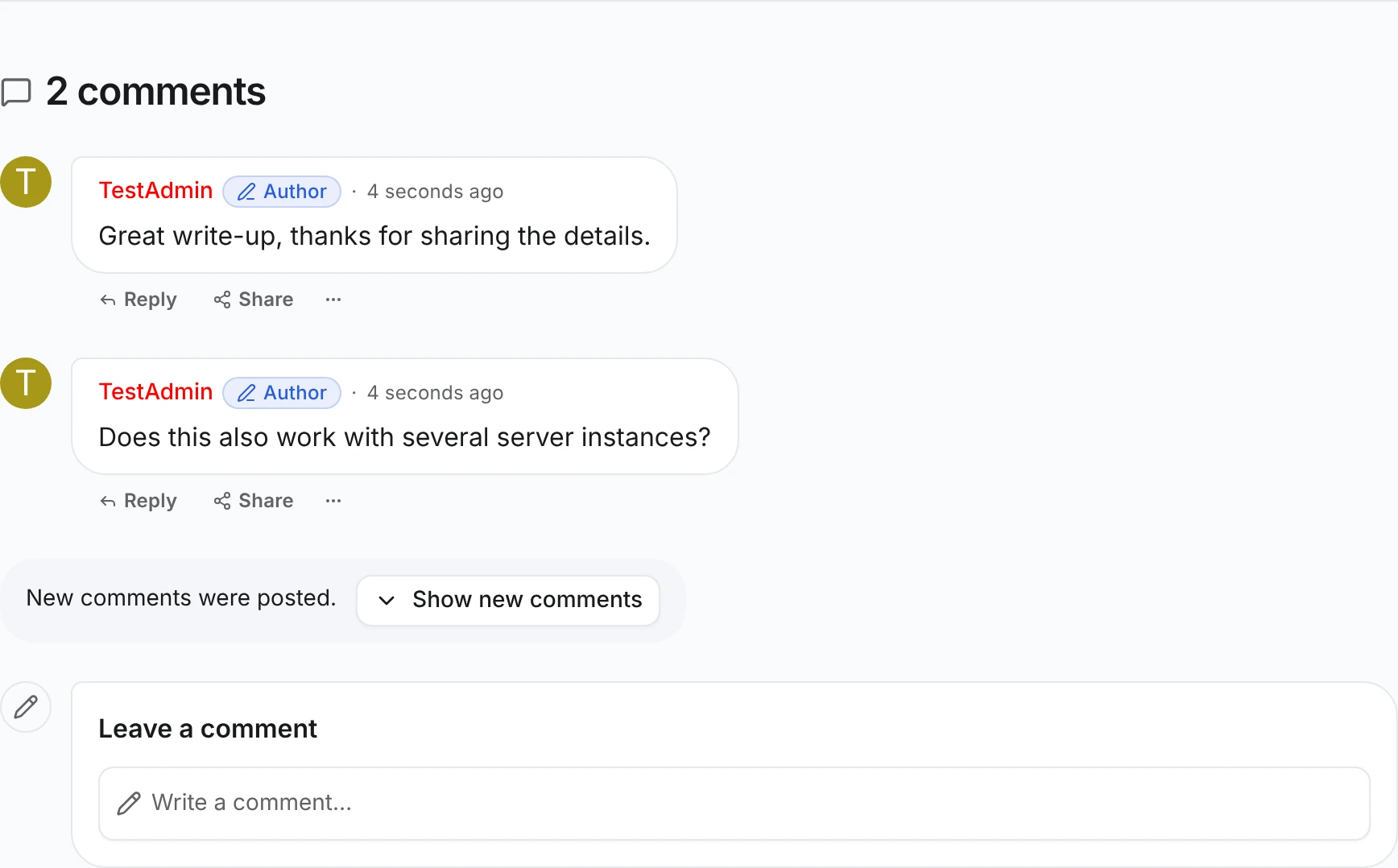
Live comments keep a comment section current while people read it. When someone replies, edits, hides or deletes a comment, every open copy of the article re-reads only the branch that changed. New top-level comments wait behind a Show new comments button, because nobody enjoys a page that rearranges itself mid-sentence. Loaded pages, open reply forms and the reading position stay where they were.
Before you begin
- The working comment section from Comments. Replies and Comment actions are optional; live updates cover whatever the section already does.
- The app's WebSocket endpoint. Without it, the section works as before, just without live updates.
Read single branches
Add branches to the useContentComments call in src/pages/article-comments.tsx. It calls /thread/branches, which the Content Engine adds to every content type with thread, so there is nothing to change on the comment type. This is an excerpt:
  const comments = useContentComments({
    ...articleCommentsThread(articleId),
    branches: async ids =>
      await fetcher({
        plugin: manifest.id,
        method: "get",
        module: "content/article-comments",
        path: "/thread/branches",
        args: {
          query: {
            root: String(articleId),
            ...(ids.length > 0 ? { ids: ids.join(",") } : {}),
          },
        },
      }),
A branch is one top-level comment with every reply below it. branches already makes the reader's own writes cheaper: a reply, edit, hide or delete re-reads only its branch instead of every loaded page.
Subscribe to the thread
Add live to the same call, with the comment type's id and the article's id. Import commentContentType unless Comment actions already did for reports:
import { commentContentType } from "@/content/comment";

    live: { contentTypeId: commentContentType.id, rootId: articleId },
That's the whole change. live needs branches and is ignored without it. ContentComments shows Show new comments and refresh errors on its own. A custom layout renders ContentCommentsLiveStatus inside its ContentCommentsRoot, as the Blog plugin does; see Comments API.
Check the result
Use two browser windows, one of them private, so they hold different sessions. Sign in as a different member in each, and open the same article with at most 20 top-level comments, so its only page is loaded:
- In window A, reply to a comment. Window B shows the reply within a second or two, without a reload.
- In window B, click Reply under a comment and type a few words without sending. In window A, reply to the same comment. Window B shows the new reply and keeps your unsent text.
- In window A, post a new top-level comment. Window B shows New comments were posted. at the end of the thread. Click Show new comments to add it below the others.
A signed-out window gets the same updates; it just can't reply.
What arrives live
| Change in another session | What an open section does |
|---|---|
| A reply, edit, hide, unhide or delete in a loaded branch | Re-reads that branch and puts it back in place |
| A burst of changes to one branch | Re-reads it once, 0.4 seconds after the last change and never more than 2 seconds after the first |
| A new top-level comment, with every page loaded | Shows Show new comments; clicking it reads only what follows the last loaded comment |
| A new top-level comment, with more pages on the server | Nothing yet. Comments are oldest first, so Load more comments reaches it |
| A change in a branch that isn't loaded | Nothing; it's read fresh when its page loads |
| A comment that is a draft or waits for a moderator | Nothing. It isn't public, so other readers aren't told |
| The article is hidden, unpublished or deleted | Readers who lost access see the thread disappear |
Each reader's own session decides what they see, exactly as on the first load. A hidden comment still shows to its author and moderators, and becomes a placeholder for everybody else when it has replies.
Open forms keep their text
If a comment is removed while someone edits it or replies to it, the form stays open with the text. It says "This comment was removed while you were editing it" or "The comment you are replying to was removed", and hides the submit button so the text can be copied elsewhere. Closing the form re-reads the branch, and the comment leaves the screen or turns into a placeholder.
Failed refreshes
When a live refresh fails, the comments on screen stay and the section says "Could not refresh the comments, so some may be out of date." with Try again. A comment that was hidden, unpublished or deleted still leaves the screen, or turns into a placeholder when it has replies. When the article itself becomes unreadable, the thread is cleared rather than left on screen.
Related
- Live refresh: which writes send a signal, who may subscribe, reconnects, several instances and custom write routes.
- Comments API: every
useContentCommentsoption and controller field.