Advanced fields
Store to-many relations, grouped fields and repeatable rows in real VitNode Content Engine tables, link records across id strategies, and write those values through the API.
Relations links one record to one other record. This page covers the shapes that need more than one column: lists of links, groups of fields and repeatable rows. Each one still lands in real Postgres tables, not a JSON blob.
The examples are excerpts of newsroom.explainer in the newsroom plugin, plugins/newsroom/src/content/explainer.ts, which uses all of them. Its targets, newsroom.category and newsroom.tag, live next to it.
Link to many records
Add multiple: true to a relation. The explainer has a set of categories, an ordered list of tags, and an ordered "read next" list that points back at explainers:
categories: field.relation({
  multiple: true,
  onDelete: "restrict",
  target: () => categoryContentType,
}),
tags: field.relation({
  multiple: true,
  ordered: true,
  target: () => tagContentType,
}),
relatedExplainers: field.relation({
  multiple: true,
  onDelete: "cascade",
  ordered: true,
  self: true,
}),
ordered: truekeeps the order editors arrange. Without it, the engine stores the set in ascending id order, so[9, 2]and[2, 9]are the same value.- On a to-many relation,
onDelete: "cascade"drops the link when the target is deleted, and"restrict"refuses the delete. - A to-many relation cannot be
requiredornullable. Usemin: 1to demand at least one target.
Each to-many field gets a junction table with itemId, relatedItemId, position and createdAt. Give every one except the self: true relation a references entry, and export every junction table, or Drizzle Kit leaves it out of the migration:
export const explainerContent = createContentModel(explainerContentType, {
  references: {
    categories: () => newsroom_categories.id,
    tags: () => newsroom_tags.id,
  },
});

export const newsroom_explainers = explainerContent.table;
export const newsroom_explainers_categories =
  explainerContent.advancedTables.junctions.categories;
export const newsroom_explainers_tags =
  explainerContent.advancedTables.junctions.tags;
export const newsroom_explainers_related_explainers =
  explainerContent.advancedTables.junctions.relatedExplainers;
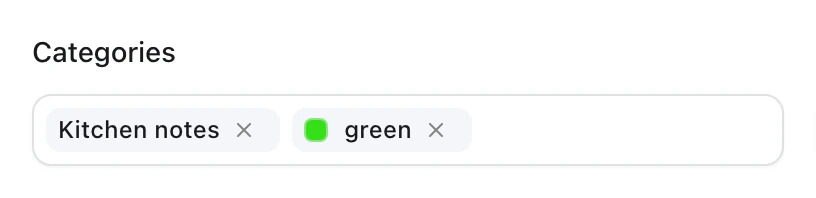
In the AdminCP form, a to-many relation shows each target as a chip you can remove. This is the blog plugin's Categories field:
Group related fields
field.group keeps fields that belong together under one key:
syndication: field.group({
  fields: {
    indexable: field.boolean({ defaultValue: true }),

    noIndex: field.boolean({ defaultValue: false }),
    priority: field.number({
      integer: true,
      min: 0,
      max: 10,
      defaultValue: 5,
    }),
  },
}),
A group adds one column per leaf to the main table: syndicationIndexable, syndicationNoIndex and syndicationPriority. The API reads and writes it as { syndication: { indexable, noIndex, priority } }, and other options refer to a leaf by path, such as indexes: [{ on: ["syndication.priority"] }]. Leaves can be text, textarea, number, boolean, enum or dateTime fields. An optional group needs leaves that are nullable or have a default. In the AdminCP, a group renders as a fieldset with its leaf controls.
Add repeatable rows
field.repeatable stores an ordered list of small rows, such as FAQ entries:
faq: field.repeatable({
  max: 20,
  fields: {
    question: field.text({ required: true, minLength: 3, maxLength: 200 }),
    answer: field.textarea({ required: true }),
  },
}),
The rows go to a child table, newsroom_explainers_faq, with id, itemId, position, createdAt, updatedAt and one column per leaf. Deleting the explainer deletes its rows. Export the child table too:
export const newsroom_explainers_faq =
  explainerContent.advancedTables.repeatables.faq;
In the AdminCP, a repeatable is a list of rows with move up, move down and remove buttons, plus an Add button.
After adding any of these fields, build and migrate as in Relations. The migration creates one table per junction and repeatable field.
Relations across id strategies
A relation can point at a content type with a different idStrategy. The foreign key always takes the type of the key it references. The newsroom plugin's newsroom.event uses bigint and links to uuid tags and serial categories:
import type { ContentRelationTarget } from "@vitnode/core/content";

import { defineContentType, field } from "@vitnode/core/content";

import { categoryContentType } from "./category";
import { tagContentType } from "./tag";

fields: {
  primaryTag: field.relation({
    nullable: true,
    onDelete: "set null",
    target: (): ContentRelationTarget<"uuid"> => tagContentType,
  }),
  category: field.relation({
    nullable: true,
    onDelete: "set null",
    target: () => categoryContentType,
  }),
  tags: field.relation({
    multiple: true,
    ordered: true,
    target: () => tagContentType,
  }),
  relatedEvents: field.relation({
    multiple: true,
    onDelete: "cascade",
    self: true,
  }),
},| Field | Column or junction table |
|---|---|
primaryTag | uuid column referencing newsroom_tags.id |
category | integer column referencing newsroom_categories.id |
tags | newsroom_events_tags with itemId bigint and relatedItemId uuid |
relatedEvents | newsroom_events_related_events with both columns bigint |
field.relation() reads the target's strategy from target, so the API takes and returns tag ids as strings and category ids as numbers. When two content type modules import each other, TypeScript cannot infer a type through the cycle and falls back to serial. Annotate the thunk with ContentRelationTarget<"uuid"> or ContentRelationTarget<"bigint">, as primaryTag does. At runtime, a references entry whose column type disagrees with the target's strategy throws and names the field.
Write related values
A relation takes ids. A to-many relation and a repeatable take the whole list, which replaces what the record had:
{
  "categories": [2, 4],
  "syndication": { "priority": 7 },
  "faq": [
    {
      "id": 1,
      "question": "When does construction start?",
      "answer": "In spring, once the council signs the contracts."
    },
    { "question": "Will the old bus route stay?", "answer": "Yes, until the trams run on the whole line." }
  ]
}
The API updates a repeatable row that has an id, creates a row without one, and deletes the rows you leave out. The API refuses an id that belongs to another record with CONTENT_REPEATABLE_UNKNOWN_CHILD. To change one link or one row without sending the list, use the content service: relations.categories.add(), .remove(), .set(), .reorder() and .get(), or repeatable.faq.create(), .update(), .delete(), .reorder(), .set() and .list().
Check the result
The newsroom plugin gives the explainer API routes but no AdminCP screen, so check it through the API while pnpm dev runs. For a published explainer with the slug how-the-tram-vote-works, the public API returns the related values like this:
curl "http://localhost:3000/api/newsroom/content/explainers/how-the-tram-vote-works?locale=en"{
"id": 1,
"title": "How the tram vote works",
"slug": "how-the-tram-vote-works",
"categories": [1],
"syndication": { "priority": 7, "noIndex": false },
"faq": [
{
"id": 1,
"question": "When does construction start?",
"answer": "In spring, once the council signs the contracts."
},
{
"id": 2,
"question": "Will the old bus route stay?",
"answer": "Yes, until the trams run on the whole line."
}
],
"publishedAt": "2026-10-24T17:39:32.786Z",
"locale": "en"
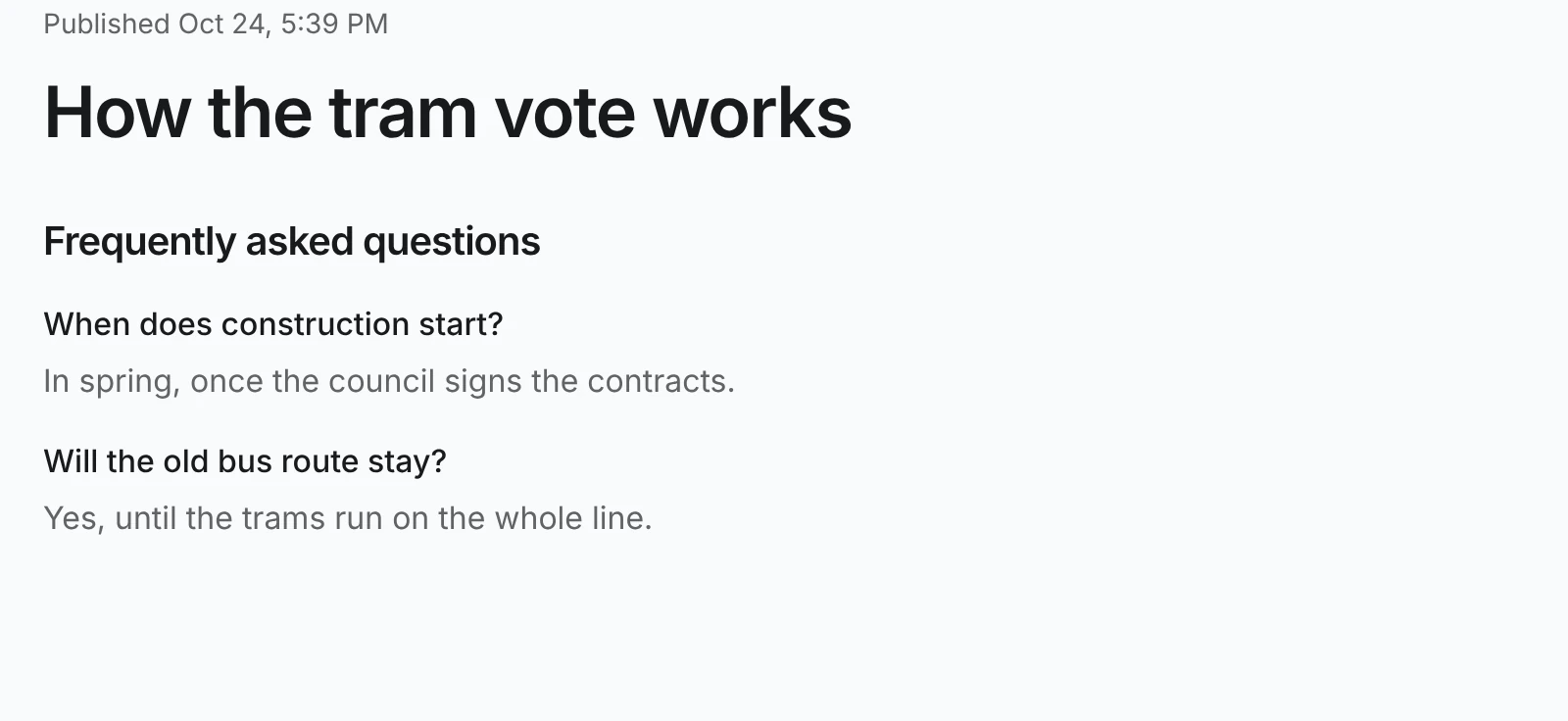
}A to-many relation comes back as a list of ids, and a single relation as { "id": 2 }. Only the leaves listed in publicApi.fields, such as "faq.question", are public. The newsroom plugin's page at /explainers/how-the-tram-vote-works renders the FAQ rows:
The Fields reference lists every option of these helpers.