Introduction
The VitNode Content Engine turns one TypeScript definition into a Postgres table, validation, staff API, permissions, AdminCP screens and optional public routes. Start with the beginner tutorial or add a feature.
The Content Engine turns one TypeScript definition into structured content for your plugin. You describe the fields of a content type, such as an article, and VitNode generates its database table, validation, staff API routes, staff permissions and AdminCP screens. Optional blocks add drafts, a public API, member writing, reports, comments, revisions and more.
Start here
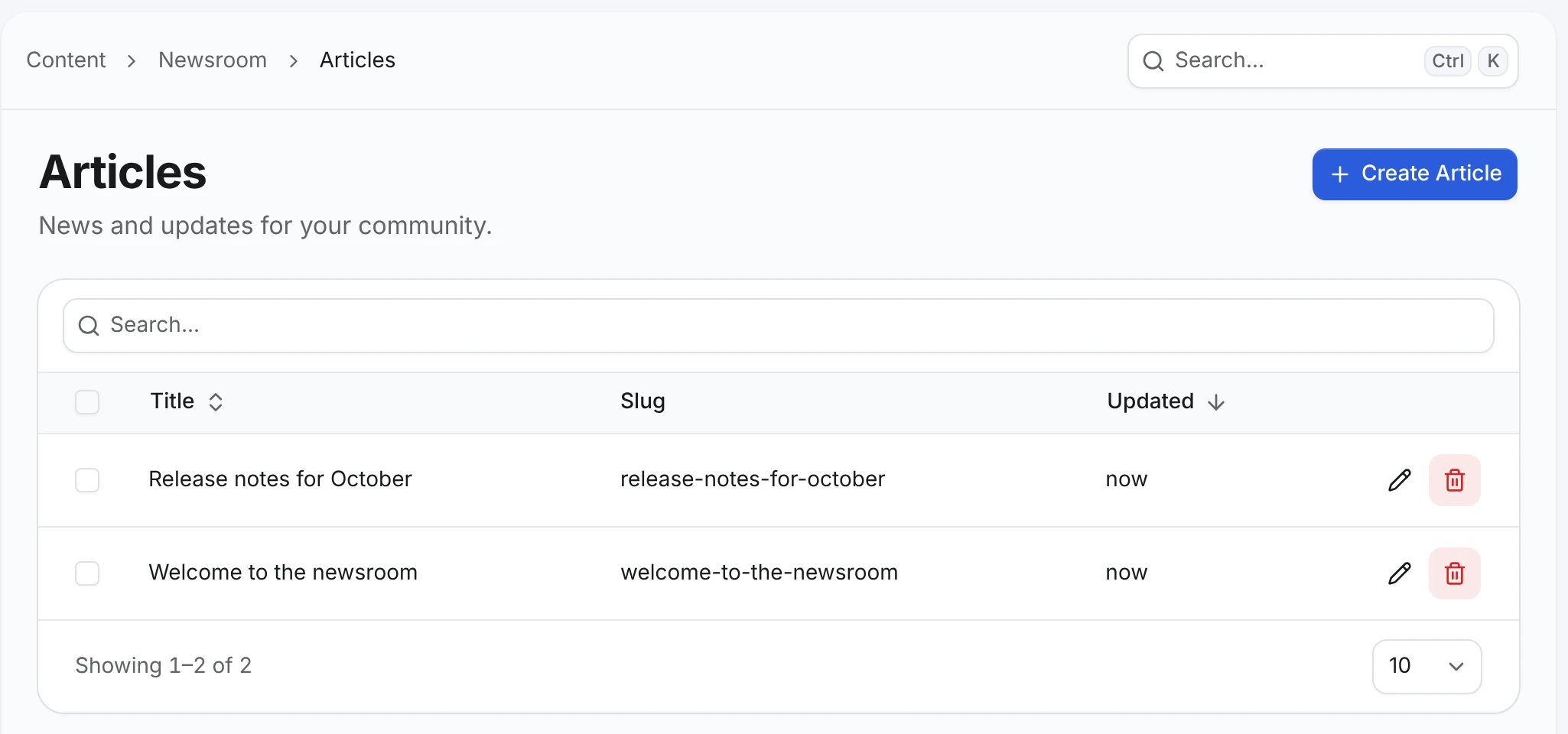
The beginner tutorial builds one small newsroom, step by step, with an article that has a title, a slug and a body. Each page continues the previous one:
- First content type: define the article and manage it in the AdminCP.
- Drafts & publishing: keep unfinished articles private until staff publish them.
- Public API: let anyone read published articles, and only the fields you choose.
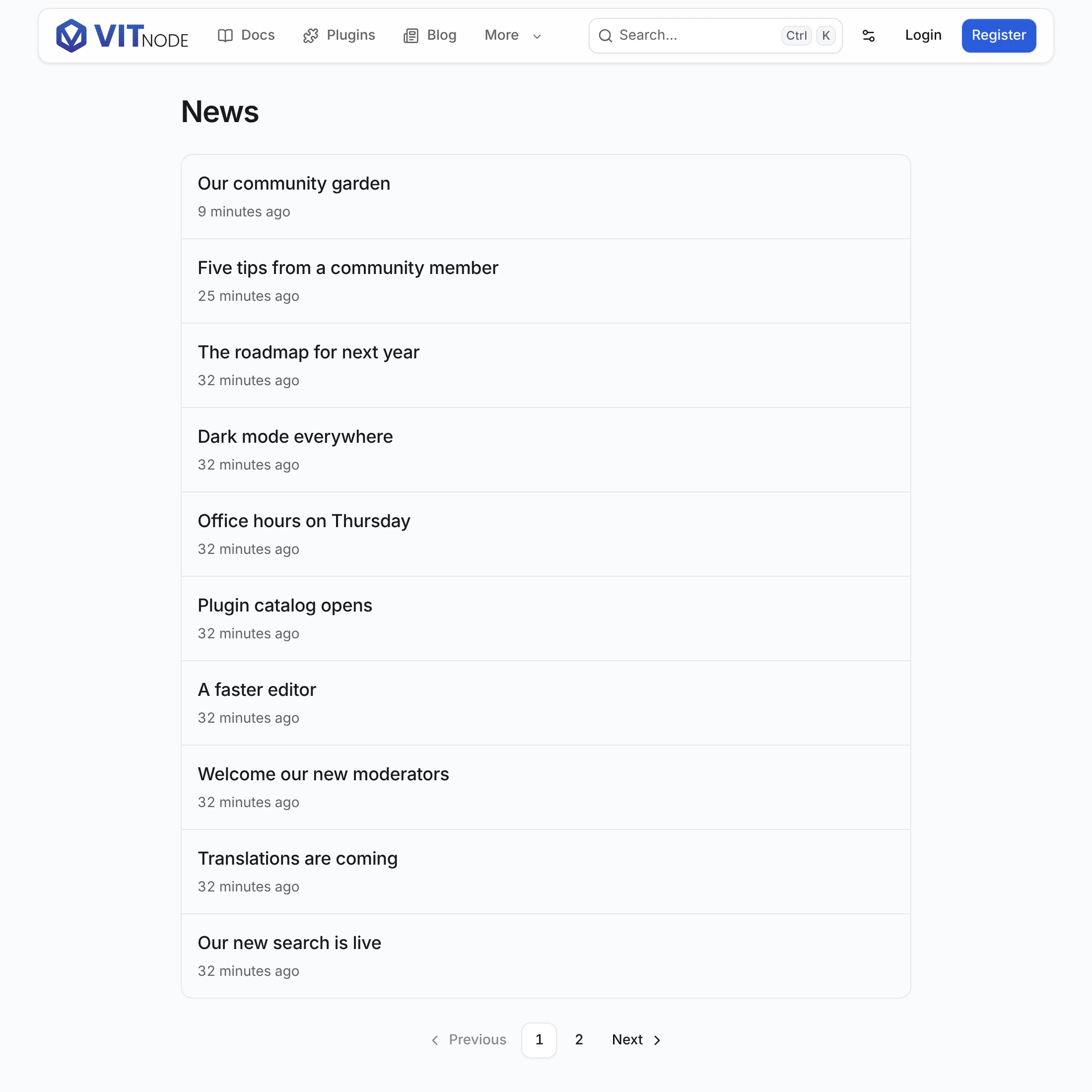
- Content list: show the articles at
/news, a page at a time. - Content page: give every article its own page at
/news/:slug.
After that, Embedded list puts the newest articles under each one, and every guide below builds on the same article.
What is generated and what you write
The Content Engine owns the data and the rules, and your plugin owns every page readers see:
| You build | The Content Engine provides | Your plugin writes |
|---|---|---|
| The AdminCP screen | The list, search, sorting, create and edit forms, publish and hide actions | The sidebar link and, optionally, custom cells or form layouts |
| A list page | The list route, defineContentList, contentListQueryOptions, ContentListResults, ContentListPagination | The route, the row layout and the labels |
| A record page | Slug resolution, 404s, redirects and metadata through contentDeliveryPage | The page component, with RichTextContent for rich text |
| A member form | The write routes, ownership, validation, useContentPublicWrite | The fields with AutoForm, success messages and navigation |
| Edit and Report buttons | canEdit and canReport per visitor, useContentPermissions, ReportButton | Where the buttons go |
| Comments | The thread route and its placement rules | The comment section, its composer and its refresh |
The page helpers come from @vitnode/core/tanstack/content, and every request goes through the typed fetcher with module: "content/<publicApi.path>". Public pages are the same for every reader, so they can be cached. The browser asks for anything that depends on the visitor, such as an Edit button, and the server checks every write again.
Add a feature
Each guide starts from a content type you already have, says what it needs at the top, and ends with something you can try. Reports and Relations, for example, only need the beginner path. Comments also need Member writing.
| Area | Guides |
|---|---|
| Public content | Embedded list |
| Member content | Member writing, Create form, Edit form, Permissions |
| Interactions | Reports, Comments, Comment actions, Replies |
| Organization | Relations, Advanced fields, Containers, Container pages |
| Moderation | Approvals, Approval notices, Publishing rules, Visibility |
| Content features | Rich text, Translations, Search, SEO |
| Editorial | Revisions, Previews, Scheduling, Live editing, Duplication |
| Customization | AdminCP, Services, Events |
| Deployment | Migrations, Caching, Production |
What each option adds
| From the definition | VitNode generates |
|---|---|
fields | A Postgres table with system columns and indexes, Zod schemas and a typed service |
admin | An AdminCP list with search, sorting and bulk actions, plus create and edit forms |
| Every content type | Staff routes and the can_view, can_create, can_edit and can_delete permissions |
publication | Draft and published states, a can_publish permission and Publish buttons |
publicApi | Read-only public routes that return only the fields you list |
publicWrite | Create and edit routes for signed-in members, with server-set ownership |
reports | A Report button readers use and a moderators' queue |
thread | Nested replies with a route that returns the tree a page at a time |
delivery | Page URLs, SEO metadata, slug redirects and sitemap entries |
editorial | Revisions with restore, preview links and scheduling |
liveEditing | Field locks, an autosaved shared draft and presence in the AdminCP edit form |
localization | A translations table and per-language fields and publishing |
search | Records in the site search index |
visibility | Hide and Unhide actions and a can_hide permission |
duplication | A Duplicate action that copies a record into a new draft |
Content types live in code and in your migrations, not in the database. There is no screen for creating a content type at runtime.
Reference
- Options: every
defineContentTypeoption and how the options depend on each other. - Fields: every
field.*helper with its options, column type and form control. - Plugin files: the files and exports the app and the API read from your plugin.