Drafts & publishing
Give a VitNode Content Engine content type drafts and a Publish button with the publication option, so nothing reaches readers until an editor publishes it.
publication gives every record two states, Draft and Published. Drafts stay private, and only staff with the publish permission make a record public. Turn it on before anything reaches readers, because the public API only ever returns published records.
This continues the newsroom.article type from First content type.
Turn on publication
Edit src/content/article.ts. Add publication and show the state in the list:
export const articleContentType = defineContentType({
  id: "newsroom.article",
  tableName: "newsroom_articles",

  fields: {
    title: field.text({ required: true, minLength: 3, maxLength: 200 }),
    slug: field.slug({ source: "title" }),
    body: field.richText({ required: true }),
  },

  publication: true,

  admin: {
    path: "newsroom/articles",
    titleField: "title",
    list: {
      columns: ["status", "title", "slug", "updatedAt"],
      orderableFields: ["title"],
    },
  },
});
This adds a status column (draft or published), a publishedAt date, a can_publish staff permission, and Publish and Unpublish actions in the AdminCP.
Label the new permission and column
Add two keys to src/locales/en.json. This excerpt shows only the new keys, in their place:
{
  "newsroom": {
    "content": {
      "article": {
        "fields": {
          "status": "Status"
        }
      }
    }
  },
  "newsroom:article:can_publish": "Publish and unpublish articles"
}
Migrate
Run this from the workspace root while pnpm dev is running, or after pnpm build:plugins:
bun run db:migrateThe migration adds status, with draft as its default, and publishedAt. Both articles you already created are now drafts.
Publish an article
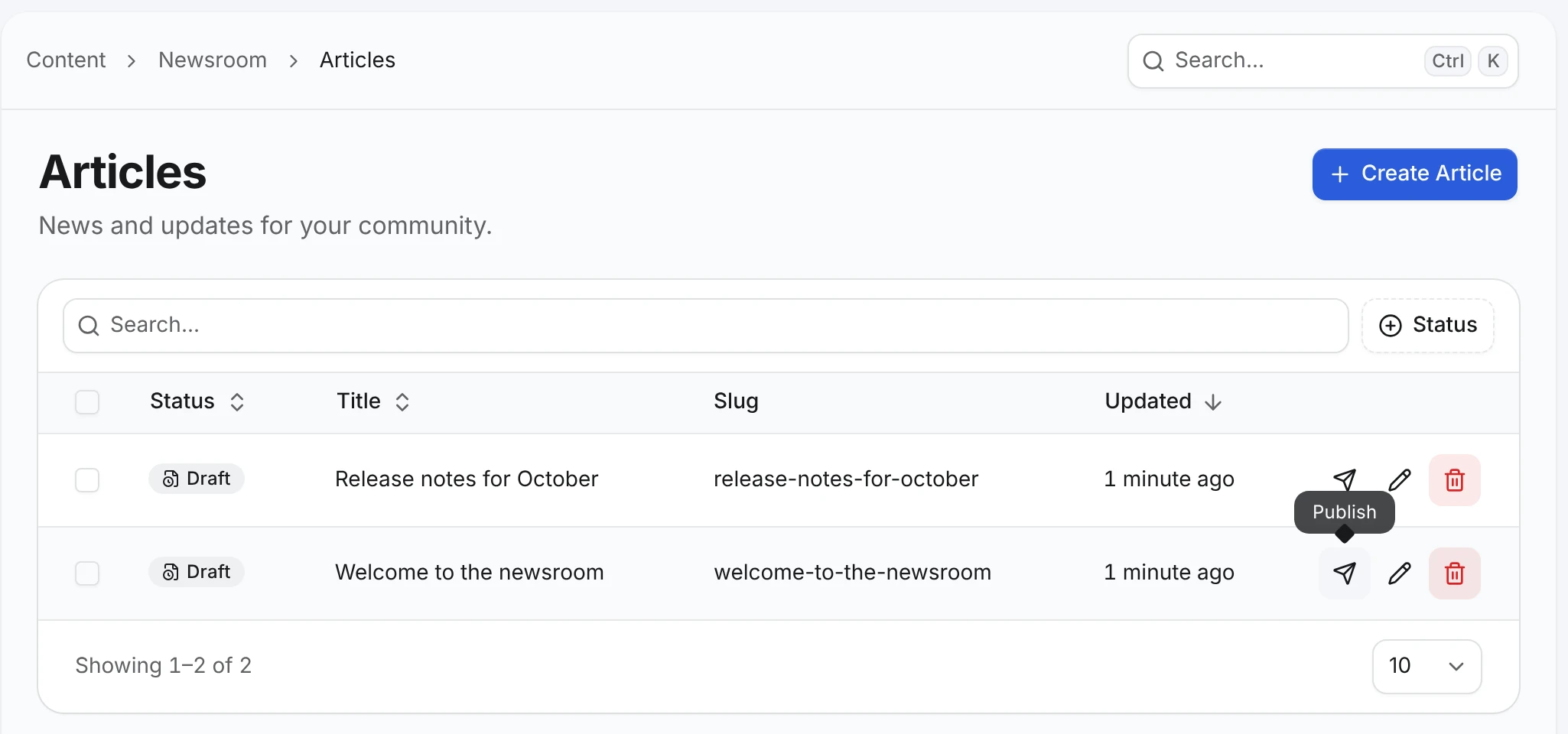
Open AdminCP → Newsroom → Articles. Both rows show Draft. Click the paper plane button in the Welcome to the newsroom row:
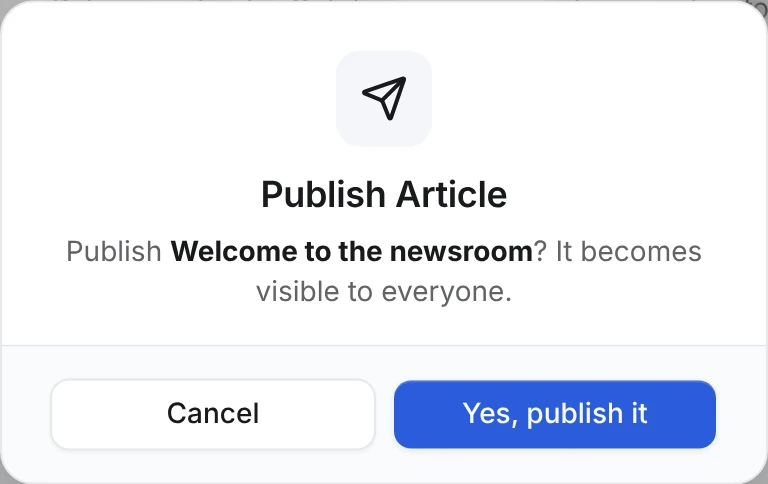
Confirm with Yes, publish it:
Leave Release notes for October as a draft. The next tutorial checks that readers cannot see it.
Check the result
The list shows Published for one article and Draft for the other, and a Status filter appears above it. The create dialog now has Save as draft and Publish buttons, and bulk actions publish many rows at once.
| The record is | Readers get |
|---|---|
| A draft | Nothing. The public API answers 404, the same as a slug that never existed |
Published with a future publishedAt | 404 until that moment |
| Published | The record |
To publish on a schedule, or share a draft before it goes live, see Scheduling and Previews.
Next, let readers fetch published articles with the Public API.