Previews
Share a VitNode Content Engine draft with someone who has no AdminCP account through a signed, expiring preview link, and load the draft in your page.
A preview link lets a reviewer read a draft without signing in. It needs editorial and a public API, and a page that knows how to load the draft. The examples use newsroom.story from the newsroom plugin.
Turn on previews
Add preview to the editorial block. expiresInMinutes defaults to 15 and accepts 1 to 1440:
editorial: {
  revisions: { retention: 20 },
  preview: { expiresInMinutes: 30 },
  scheduling: true,
},
preview changes no columns. Leaving out publicApi is a type error, and the definition throws when it loads.
Create and open a link
In the AdminCP, open More actions and choose Preview. Creating a link needs can_view.
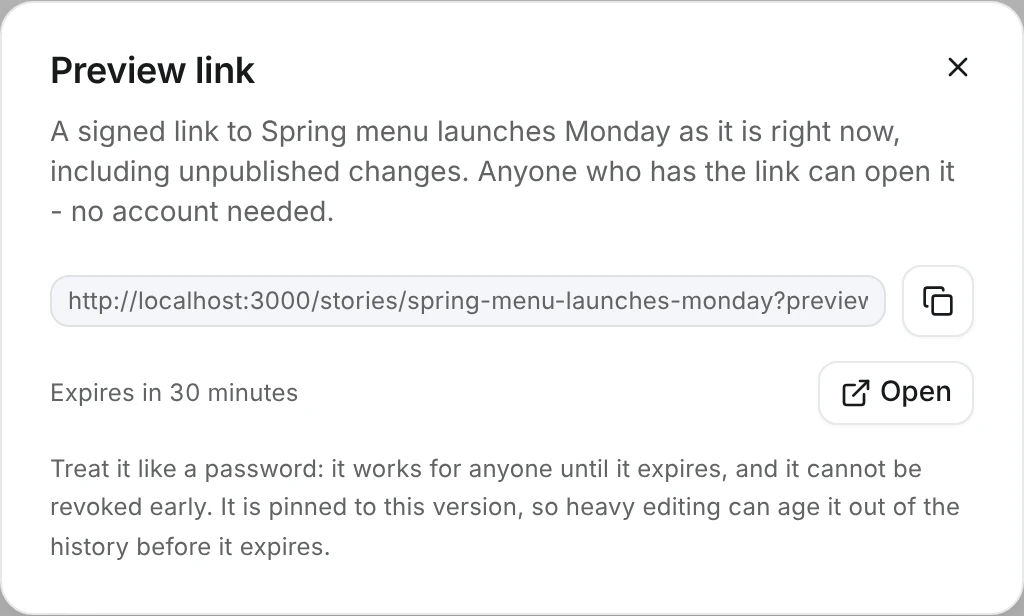
The link is HMAC-signed, expires after expiresInMinutes and cannot be revoked early, so treat it like a password. It is pinned to the last saved version, so it shows what Save committed, not unsaved live editing drafts.
The link points to the first of these that exists:
preview.pathTemplate, such as/preview/stories/{token}, with exactly one{token}.- The record's own page with
?preview=<token>, when the type has delivery. - The public API route
GET /api/newsroom/content/stories/preview/{token}.
Every page still has to load the draft from that API route. A page built from Content page does not read ?preview= on its own, so a story's preview link opens a 404 until you check for it in your loader:
const preview = await fetcher({
  plugin: "newsroom",
  method: "get",
  module: "content/stories",
  path: "/preview/{token}",
  args: { params: { token: encodeURIComponent(token) } },
});
The route returns the record's public fields, and the same 404 for a forged, expired or unknown token. It sends Cache-Control: private, no-store and X-Robots-Tag: noindex, nofollow, so the draft stays out of caches and search results.
VitNode builds links from VITNODE_WEB_URL and VITNODE_API_URL. When either is not an absolute URL, the API logs a warning at startup and the Preview button answers 503.