Protected attachments
Keep the files of restricted VitNode content private. Configure a private store for the storage adapter, let access rules decide who downloads attachments, and move existing public files into private storage.
A rule on Download attachments only protects files nobody can fetch by URL. This guide sets up private storage, so files of access-controlled content are served only through a route that checks the reader every time, and moves the files that are still public.
How files are served
Every content type with access rules gets a download route, GET /api/{plugin}/content/{publicApi.path}/{id}/files/{fileId}. It answers only when:
- the reader may read the record, under its scopes' rules now;
- the file belongs to that record: a file field holds it, or one of its rich-text documents names it;
- for anything but an image, the reader may also download attachments.
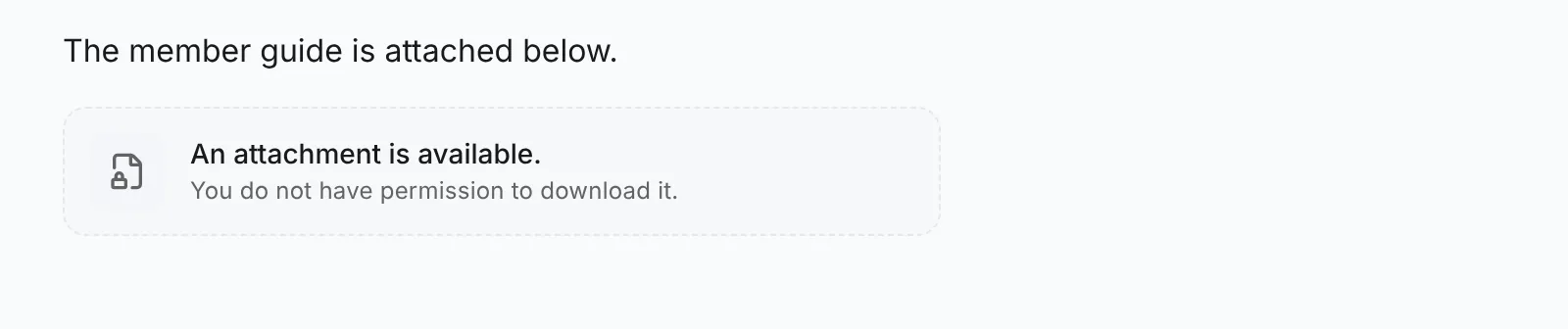
Images follow Read: anyone who can read an article sees its images, and anyone who can see an image can save a copy of it. Download attachments covers files offered for download, such as PDFs and archives. A reader without it sees An attachment is available. You do not have permission to download it., with no name, size or link:
File fields work the same way, with restricted: true on the descriptor.
Responses are private, no-store, nosniff and sandboxed. Nothing is served through a signed URL, so taking a role away blocks the next download at once.
Before you begin
You need access rules on a container collection or a scope content type, and a storage adapter.
Give the storage adapter a private store
The Local adapter keeps private files in storage/private in the API's working directory, which no static mount serves. It needs no configuration; do not serve that folder.
For S3 or Cloudflare R2, create a second bucket that is not public - no public bucket policy, no public R2 domain, no CDN in front of it - and pass it as privateBucket:
import { S3StorageAdapter } from "@vitnode/s3";

storage: {
  adapter: S3StorageAdapter({
    accessKeyId: process.env.S3_ACCESS_KEY_ID,
    bucket: process.env.S3_BUCKET,
    privateBucket: process.env.S3_PRIVATE_BUCKET,
    region: process.env.S3_REGION,
    secretAccessKey: process.env.S3_SECRET_ACCESS_KEY,
  }),
},
SupabaseStorageAdapter takes privateBucket the same way; create that bucket as private in Supabase.
Without a private store, the AdminCP refuses a Download attachments rule other than Everyone and says why.
Upload new files privately
Nothing to change in code. Once a content type has access rules and the adapter has a private store, its uploads are stored privately: file fields uploaded in the AdminCP, and rich-text uploads from editors that pass the content type, such as the Blog article editor.
To pass it from your own editor field:
<AutoFormEditor
  format="json"
  uploads={{ contentType: "blog.post", files: true, session: "admin" }}
  {...props}
/>
The generated AdminCP form does this for every rich-text field with uploads.
Move the files that are still public
Files uploaded before you set this up keep their public addresses. Open the Access dialog of any forum or category in the collection. If some of the collection's files still have a public address, the dialog says how many. Choose Make N private to move up to 100 of them into the private store; run it again until the notice is gone.
Moving a file deletes its public object, so the address handed out before stops working. A file that content outside the collection also uses stays public, and the result counts it as used elsewhere - a private reference cannot make a shared public file confidential, so upload it again where it should be private. Nothing private is ever made public.
Check the result
Restrict Download attachments of a forum or category to a role, then attach a PDF to an article in it. As a member without the role, the article shows the attachment note instead of the file, and the download route answers 403. With the role, the file downloads. Copy the download address, sign out and open it: the route answers 404, because a guest cannot read the article.