Translations
Translate Content Engine fields with localization and localized fields, edit each language per field in the AdminCP, and pick the language in the public API.
Localization stores chosen fields once per language, while every other field stays shared. A bulletin's title and body get a Polish version, but whether it is featured stays one value. Translated values live in a second table, {tableName}_translations, with one row per record and language. This guide uses newsroom.bulletin from the newsroom plugin.
Before you begin
The languages come from your app's i18n.locales in vitnode.config.ts (see Languages & Localization) and from the languages created at install. defaultLocale must be one of them. A language turned off in the config stays readable in the AdminCP, but nobody can write to it and the public API does not serve it.
Mark the translatable fields
Add a localization block and set localized: true on each field that changes per language:
export const bulletinContentType = defineContentType({
  id: "newsroom.bulletin",
  tableName: "newsroom_bulletins",
  localization: {
    defaultLocale: "en",
    fallback: "default",
  },
  publication: true,
  // ...
  fields: {
    title: field.text({
      localized: true,
      required: true,
      minLength: 3,
      maxLength: 200,
    }),
    slug: field.slug({ localized: true, source: "title" }),
    body: field.textarea({ localized: true, required: true }),
    featured: field.boolean({ defaultValue: false }),
  },
});text, textarea, richText, slug, blocks and whole group fields can be localized. Numbers, booleans, enums, dates, files, users, relations and repeatables are always shared. A slug and its source must both be localized or both shared, otherwise every language would get the same URL. localized: true without a localization block throws, and so does a localization block without a localized field.
Export the translations table
export const bulletinContent = createContentModel(bulletinContentType);

export const newsroom_bulletins = bulletinContent.table;
export const newsroom_bulletins_translations = bulletinContent.translationTable;
Drizzle Kit only sees exported tables, so without this line the migration has no translations table.
Build and migrate
bun run db:migrateThe localized columns move to newsroom_bulletins_translations, keyed by (itemId, languageId). That table has its own version, createdAt and updatedAt, plus status and publishedAt when the type has publication.
The migration does not copy existing values into the translations table. If the table already holds records, review the SQL before you apply it and add a step that copies them.
Edit languages in the AdminCP
There are no language tabs. Each localized field carries its own language selector, so an editor can fix the Polish title without leaving the form. The field first shows your AdminCP language if it has text, then the default language, then any language that has text. Shared fields have no selector.
This is the blog plugin's category dialog, where name is field.text({ localized: true }):
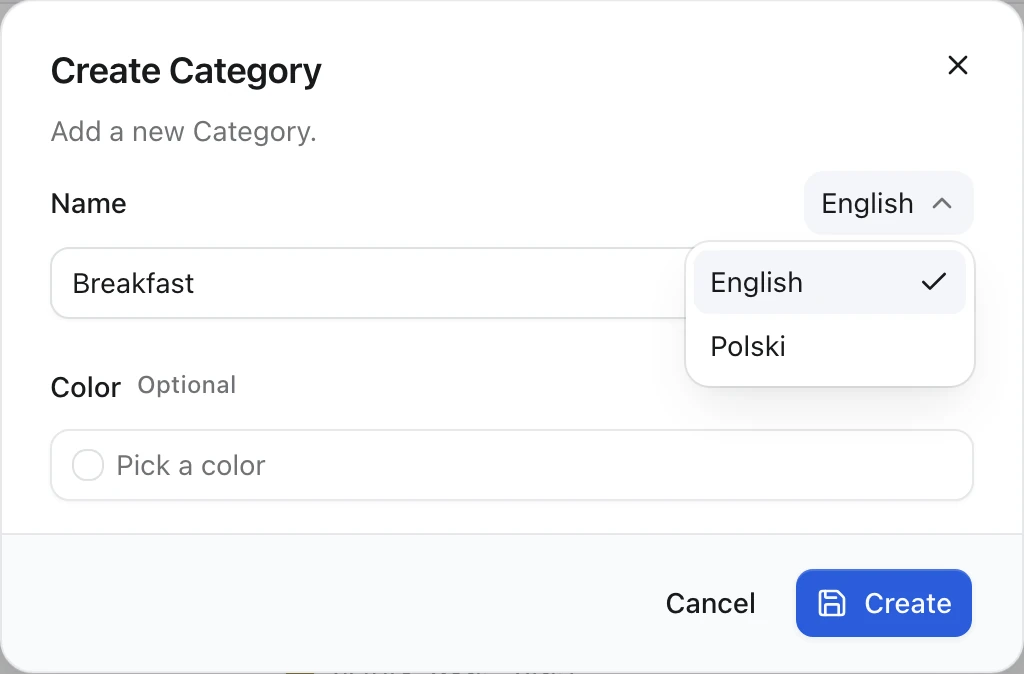
Saving the form sends the shared fields and every language you typed into in one request: POST /localized for a new record, PUT /{id}/localized for an existing one. The server writes them in one transaction. A new record must include its default language. A Polish-only edit does not touch the shared row, so it does not bump the record's version or expire the English cache.
The first time you type into a language, the save creates that translation, so it needs that language's required fields too. If a new translation (other than the default language) is still missing one, the AdminCP leaves that language out, saves everything else and warns "Polish was not saved: fill in Title in this language to save it." With live editing on, the unfinished translation stays in its draft until you finish it.
When the server refuses a value anyway, nothing is saved. The save answers 400 with a body that names each field and its language, and the AdminCP shows it as "Fill in Title (Polish), then save again.":
{
  "code": "CONTENT_INVALID_INPUT",
  "contentTypeId": "blog.post",
  "issues": [{ "code": "required", "field": "title", "locale": "pl" }]
}
code is required for a missing value and Zod's own issue code (too_big, invalid_format, …) otherwise. locale is null for a shared field. Read the body with parseContentInvalidInput from @vitnode/core/content. Every admin write route answers invalid input this way, not only the localized ones.
With publication, each language has its own status. Publishing the record publishes its languages too, and you can then unpublish one language alone. A translation is public only when both the record and that translation are published, and the record is not hidden. With editorial, each language also keeps its own revisions and preview links.
The newsroom plugin registers newsroom.bulletin on the API only, so it has
no AdminCP screen. Add it to the plugin's adminContent and adminNav
content types to get the generated form shown above.
Read a language from the public API
The public API serves one language per request, chosen in this order:
- The
?locale=query parameter. A locale that the site does not serve returns404. - Otherwise the
Accept-Languageheader. The response then carriesVary: Accept-Language. - Otherwise
defaultLocale.
curl -i "http://localhost:3000/api/newsroom/content/bulletins/witaj-content-engine?locale=pl"HTTP/1.1 200
content-language: pl
{"title":"Witaj Content Engine","slug":"witaj-content-engine","body":"Jeden rekord, dwa języki.","featured":false,"publishedAt":"2026-10-10T10:57:12.452Z","locale":"pl"}The locale property says which language the body is in. When the requested translation is missing or unpublished, fallback: "default" serves the default language instead, so "locale" becomes "en". With fallback: "none" (the default), the API returns 404.
In a page loader, pass the route's locale through. This is the newsroom plugin's bulletin page:
const detail = await fetcher({
  plugin: manifest.id,
  method: "get",
  module: "content/bulletins",
  path: "/{slug}",
  args: {
    params: { slug: encodeURIComponent(slug) },
    query: { locale },
  },
});
Opening /pl/bulletins/witaj-content-engine renders the Polish translation:
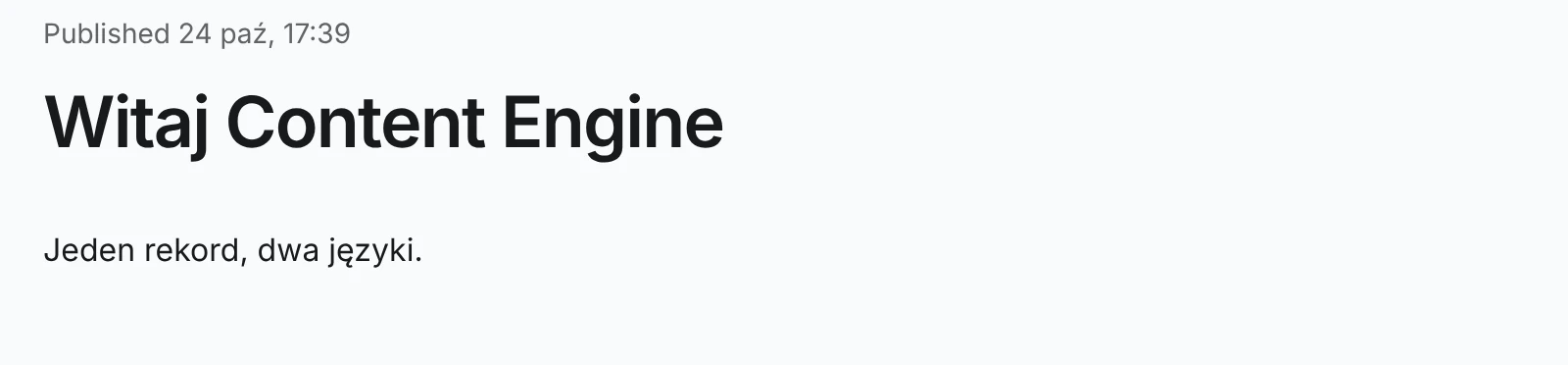
Each translation can have its own slug and URL. Content page covers localized URLs and hreflang.
Translation routes
buildContentAdminModule adds staff routes for each language under the content type's admin path. They use the same staff permissions as the record:
| Route | Does |
|---|---|
GET /{id}/translations | Lists the record's translations |
GET, POST, PUT, DELETE /{id}/translations/{locale} | Reads, creates, updates or deletes one language |
POST /{id}/translations/{locale}/publish and /unpublish | Changes one language's status. Needs publication |
GET /{id}/translations/{locale}/revisions | One language's history. Needs editorial |
POST /{id}/translations/{locale}/preview | A preview link for one language. Needs editorial preview |
POST /localized, PUT /{id}/localized | Saves shared fields and several languages in one transaction |
Each translation write emits an event such as content.newsroom.bulletin.translation_created or translation_published, listed in Events.
Options
| Name | Type | Required | Default | Description |
|---|---|---|---|---|
defaultLocale | string | Yes | A language code such as "en" or "pt-BR". Every record starts in it | |
fallback | "none" | "default" | No | "none" | What the public API serves when the requested language is missing |