Access rules
Restrict who can see a forum, read its topics, reply and download attachments with VitNode Content Engine access rules. Turn on access for a container collection, then choose everyone, signed-in members or selected roles per forum in the AdminCP.
Access rules decide who may see a container, read what is filed in it, reply there and download its attachments. Use them for a staff-only forum, a members-only board, or a VIP section that only some roles can open.
This guide uses the Forum plugin: the forum.forums collection, topics filed into forums and comments that follow their topic.
The four actions
Each container has one rule per action. An action needs the one above it, so a role allowed to comment but not to read still cannot comment.
| Action | What it allows | Needs |
|---|---|---|
| View | See that the forum exists: its name and description in lists and breadcrumbs | - |
| Read | Open its topics, find them in search, Discover and profiles | View |
| Comment | Reply to its topics | Read |
| Download attachments | Download protected files attached to what the reader can read | Read |
Each rule lets in one of three audiences: everyone (Guests too), Signed-in members only, or only members holding at least one of the ticked Roles, as a primary or secondary role. Root roles such as Administrator get no special pass. They are rows like any other, so untick them to keep them out. Access rules only add restrictions. Replying still needs a signed-in member and the forum's publishing rules, whatever Comment says.
Before you begin
You need a container collection with content filed into it. After upgrading VitNode, apply the migration that adds the access tables:
bun vitnode db migrateTurn on access for the collection
Add access to the collection's definition:
import { defineContentContainer, field } from "@vitnode/core/content";

export const forumContainers = defineContentContainer({
  id: "forum.forums",
  fields: {
    description: field.textarea({ maxLength: 500, nullable: true }),
  },
  hierarchy: { maxDepth: 4 },
  access: true,
  publicApi: { path: "forums", fields: ["description"] },
  admin: { path: "forum/forums" },
});
access: true starts every action open to everyone, so nothing changes until an administrator restricts a forum. To start stricter, pass defaults instead, such as access: { defaults: { comment: { mode: "members" } } }.
Turn access on only when every custom route of the plugin that reads topics or comments goes through the Content Engine's public services or createContentAccess(c). A route that queries the table directly ignores the rules. The Forum plugin's stats and topic routes already do this.
Restrict a forum in the AdminCP
Open AdminCP → Forums (/admin/containers/forum/forums). In a forum's row menu, choose Access.
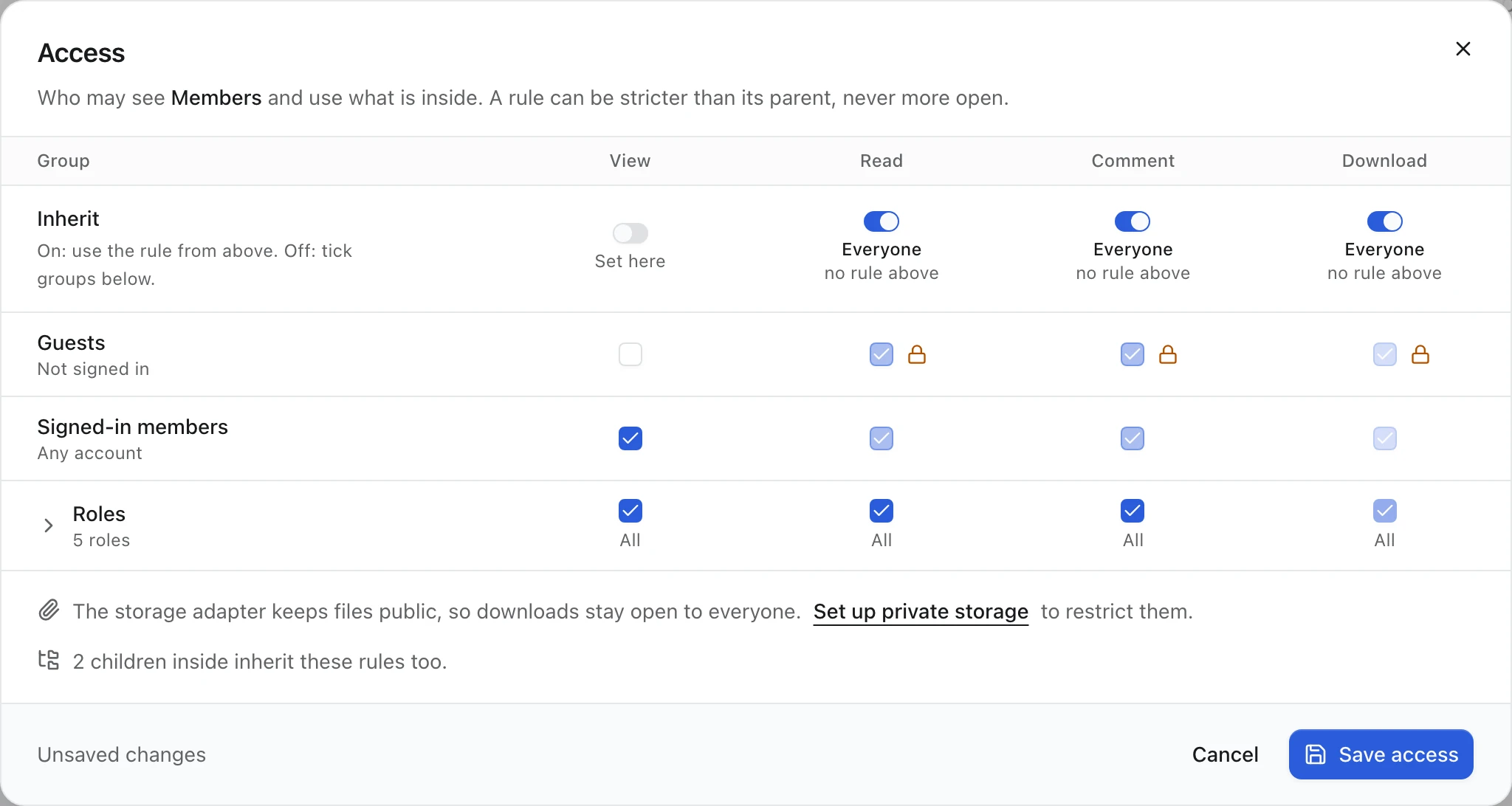
The Access dialog is a grid: groups down the side (Guests, Signed-in members and Roles, which opens into every role), the four actions across the top. For a forum called "Members", turn off Inherit under View, untick Guests and choose Save access.
An action left on Inherit follows the nearest parent forum that sets it, then the collection's defaults. The caption under its switch shows the inherited audience and where it comes from, such as Everyone and no rule above. An orange lock beside a ticked box means another rule still keeps that group out. Hover or focus the lock to see which one. In the screenshot, guests are still ticked for Read, but a lock sits beside each box. Guests cannot read a forum they cannot view.
Saving needs the collection's can_edit admin permission. The rules apply from the next request, including to members who are signed in right now.
Restrict a child forum to a role
Under "Members", create a forum called "VIP". Open its Access dialog and turn off Inherit under View. Untick Guests and Signed-in members, which leaves every role ticked. Open Roles, untick the Roles row to clear them, tick VIP and save.
A child can be stricter than its parent, never more open: to reach "VIP", a member has to pass the rules of "Members" too. The locks show this. "Members" keeps guests out, and every role except VIP needs View first:
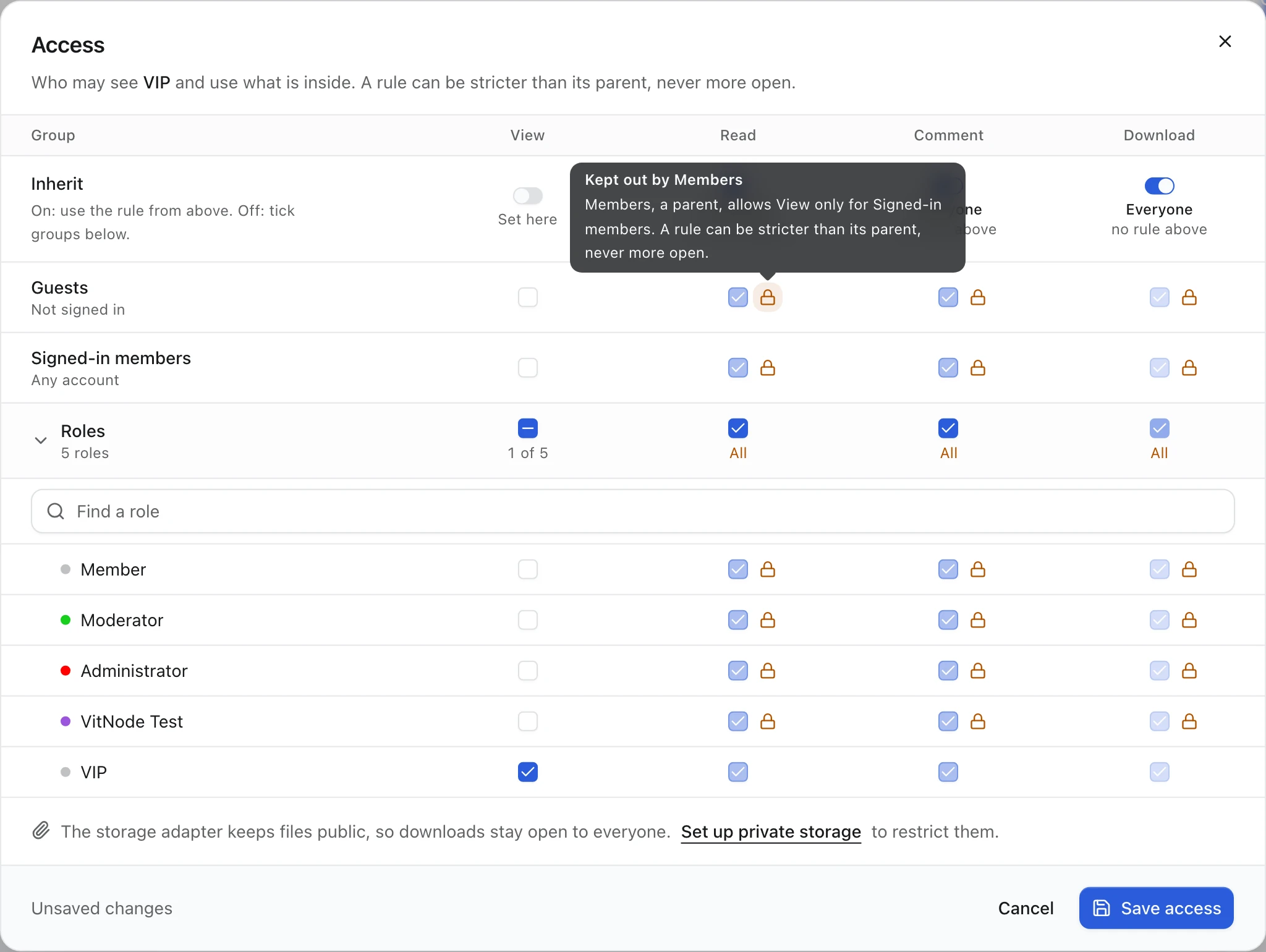
With "General" left on Inherit beside it:
| Visitor | Members | General | VIP |
|---|---|---|---|
| Guest | No | No | No |
| Member without the VIP role | Yes | Yes | No |
| Member with the VIP role | Yes | Yes | Yes |
Check the result
Sign out and open /forum. "Members" and its children are gone from the forum list, and /forum/members answers Forum not found, as if it never existed. Sign in as a member without the VIP role: "Members" and "General" appear, "VIP" does not. Search for a topic title from "VIP" as both visitors: only a member with the role finds it.
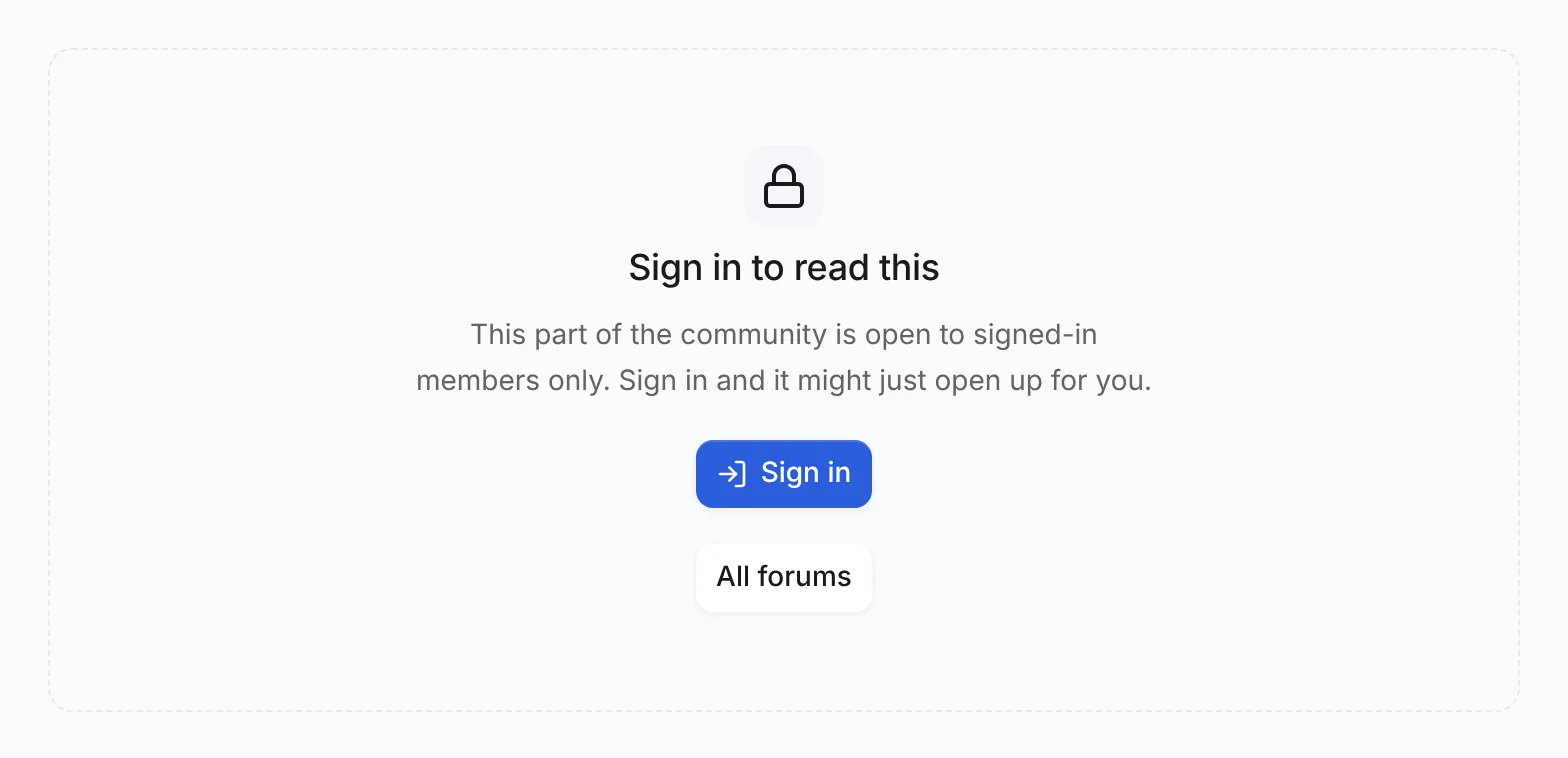
To try a forum readers may see but not read, set View to Everyone and Read to Signed-in members. Guests then see the forum with a Restricted label:
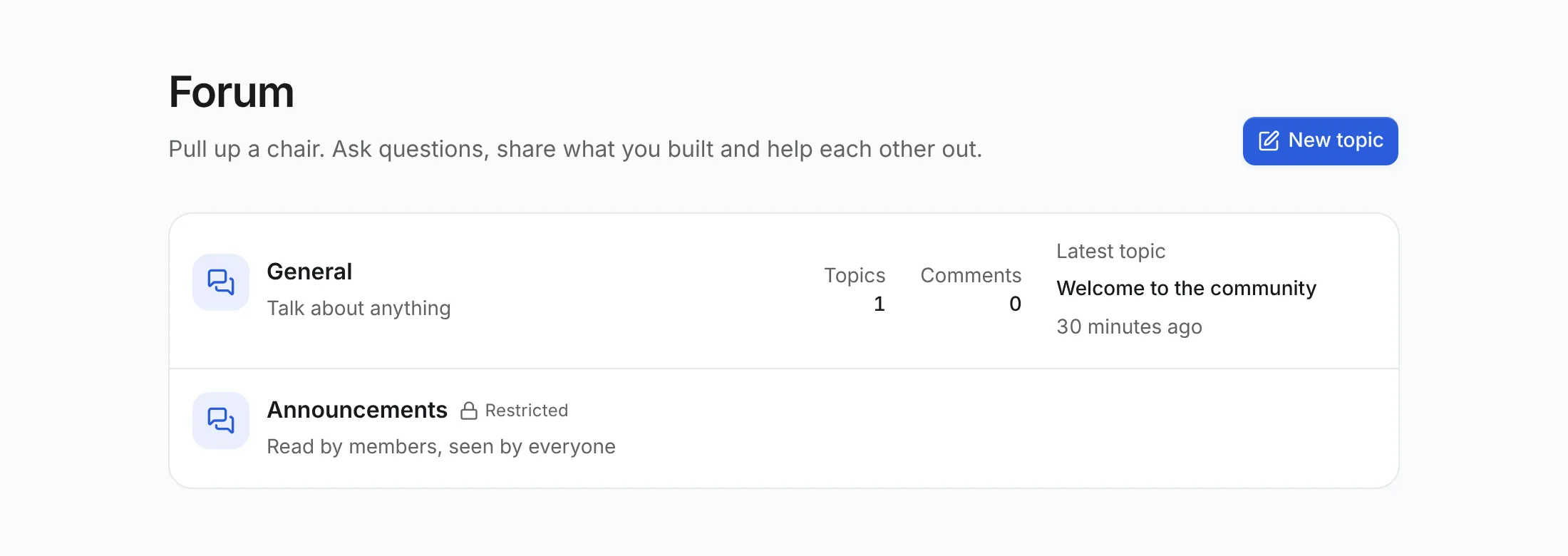
Its page and its topics ask guests to sign in instead of showing anything. A signed-in member without access sees You don't have access here instead.