Moderation
Configure warnings
Set up VitNode warning reasons with default points and expiry, and warning actions that suspend an account automatically, in the AdminCP.
Warning reasons give moderators consistent points and messages. Actions, the AdminCP's name for thresholds, decide when points turn into a suspension. This guide sets up the example from Warnings: a 2-point Spam reason and suspensions at 8 and 10 points.
Before you begin
You need an AdminCP account with the Warning settings permissions: View warning reasons and actions, and Manage warning reasons and actions to change them. Admins with a root role have both.
Add a warning reason
Open AdminCP → Moderation → Warnings, stay on the Reasons tab and choose Add reason. Fill in:
| Field | Example | What it does |
|---|---|---|
| Title | Spam | What moderators pick and what the member reads |
| Description | Ads or repeated junk | Helps moderators choose. Members never see it |
| Points | 2 | Added to the member's active points. 0 makes an official warning without points |
| Points expire after | 30 days | After this the points stop counting. Check Never expire for permanent points |
| Default message | Please stop posting spam. | Prefilled in the warn form, and moderators can edit it |
| Enabled | On | Disabled reasons can't be picked for new warnings |
Title, description and message are translated per language, like report reasons. Drag rows to set the order moderators see.
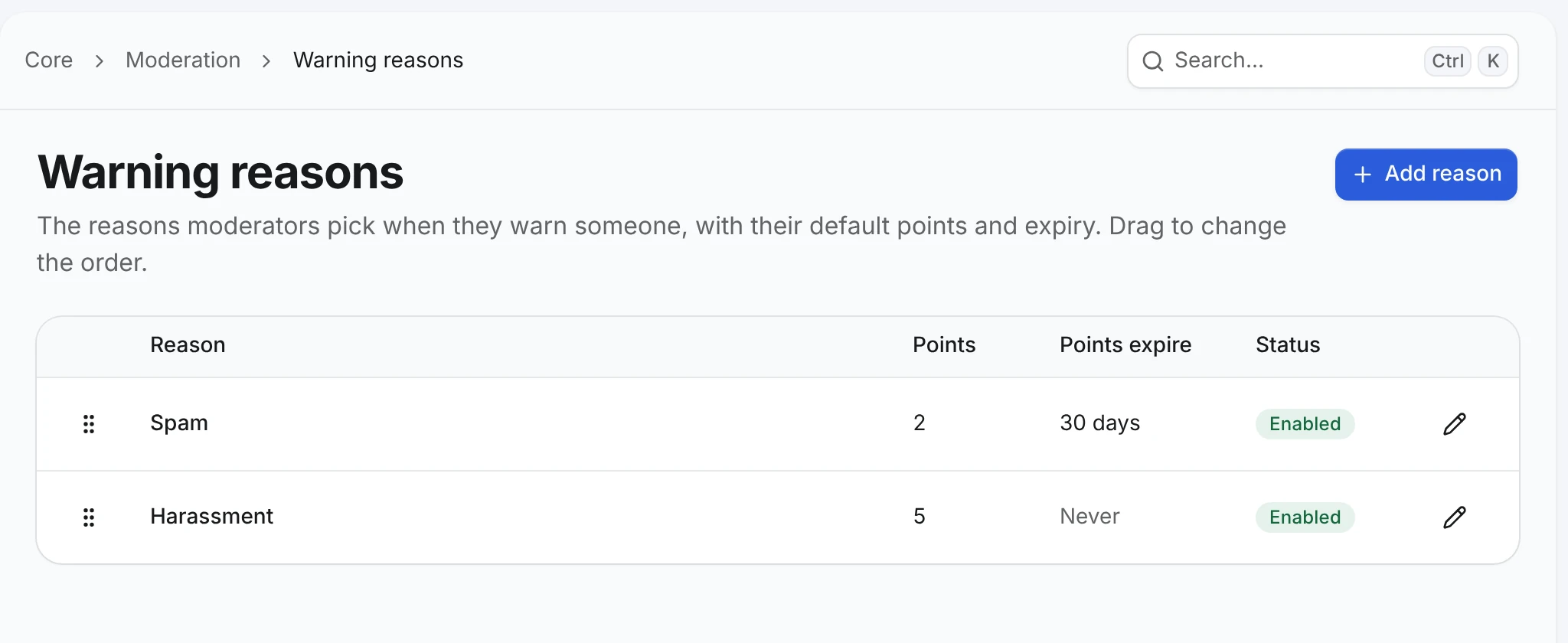
Reasons are never deleted, only disabled. Every warning keeps a copy of its reason's title and the points it was issued with, so editing or disabling a reason never changes a warning already issued.
Add actions
On the same page, switch to the Actions tab (/admin/core/moderation/warnings/actions) and choose Add action twice:
| Active points | Suspend for |
|---|---|
| 8 | 1 day |
| 10 | Check Indefinitely |
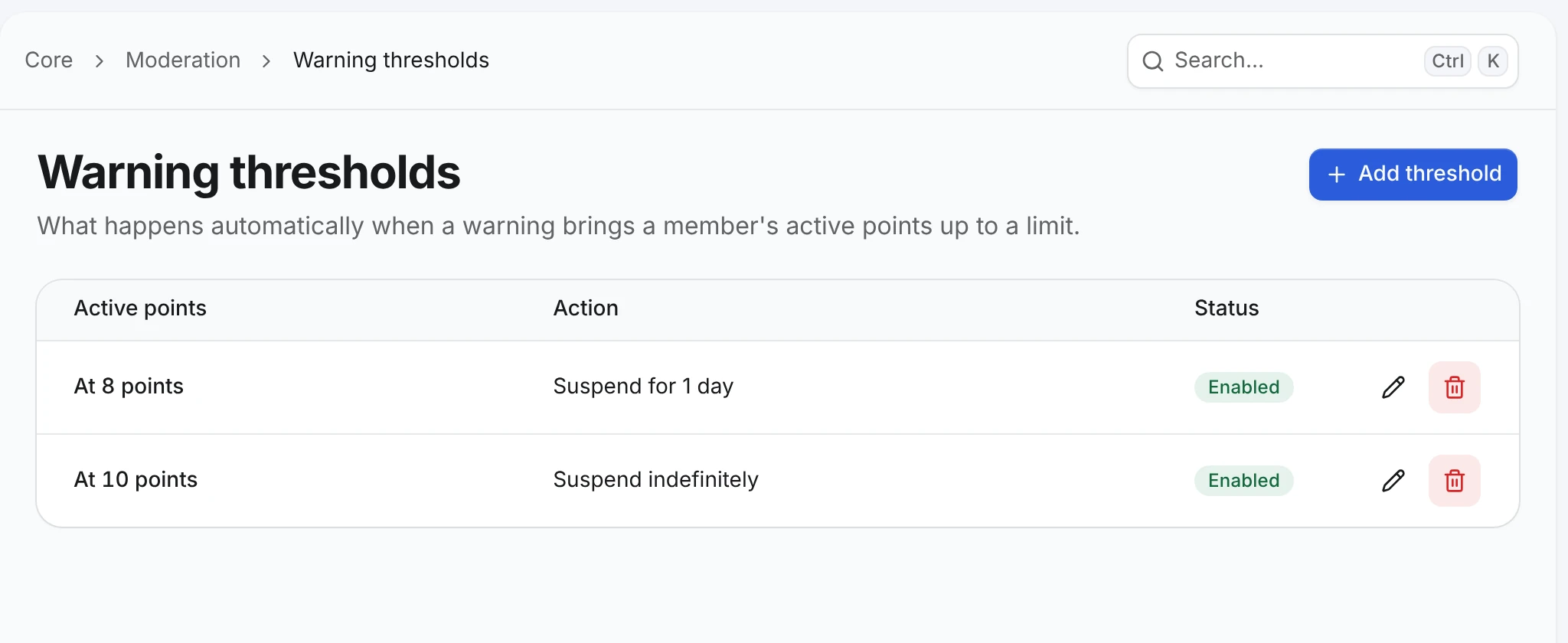
Only one enabled action can use each number of points. Save a second one and the form answers Another enabled action already uses this number of points. Disable or delete an action to stop it.
A suspension lasts minutes, hours or days. Check Indefinitely to keep it until a moderator lifts it. Suspensions an action already created keep a copy of its rule, so editing or deleting the action doesn't shorten them.
Check the result
Warn a test member twice with Spam (4 points), then preview a third time in the warn form: Automatic action says nothing. Change the points to 4 (with an explanation) and the preview shows Account suspended for 1 day. See Issue warnings.
Changes apply to warnings issued from now on. Lowering an action's points does not suspend members who are already above the new number, and raising them does not lift anything.
Every change to a reason or action, with its values before and after, is recorded in AdminCP → Staff → Administrators → Logs.