Report content
Let readers report a VitNode Content Engine record to moderators with the reports option and ReportButton, on a record's page and on every row of a list.
reports adds a Report button to your content. A signed-in reader picks a reason, and the report lands in the moderators' queue with a copy of what they saw. This guide adds it to the example plugin's discussions: on each discussion's page and on every row of /discussions.
You need a public API, because a reader can only report what they can read.
Turn on reports
export const discussionContentType = defineContentType({
  id: "example.discussion",
  // ...
  reports: true,
});
Reports live in core tables, so there is nothing to migrate. The content type gets moderator permissions such as can_view_reports and can_manage_reports; give them to someone in AdminCP → Staff → Moderators before you test. See Configure moderators.
Ask who may report what
useContentPermissions asks the Content Engine what the visitor may do with the records on screen, in one request. canReport is true for a public record the visitor did not write, guests included; their dialog asks them to sign in.
import { useContentPermissions } from "@vitnode/core/tanstack/content";
import { fetcher } from "@vitnode/core/tanstack/fetcher";

import { manifest } from "@/manifest.gen";

export const useDiscussionPermissions = (ids: readonly number[]) =>
  useContentPermissions({
    ids,
    queryKey: [manifest.id, "discussions"],
    fetch: async request => {
      const res = await fetcher({
        plugin: manifest.id,
        method: "get",
        module: "content/discussions",
        path: "/permissions",
        args: { query: { ids: request.join(",") } },
      });
      if (res.status !== 200) throw new Error("Loading permissions failed.");

      return await res.json();
    },
  });
The same hook answers canEdit, used by the edit form.
Add the button to the page
import { contentTarget } from "@vitnode/core/content";
import { ReportButton } from "@vitnode/core/tanstack/moderation";

import { discussionContentType } from "@/content/discussion";
import { manifest } from "@/manifest.gen";

const { canReport } = useDiscussionPermissions([item.id]).of(item.id);

{canReport ? (
  <ReportButton
    preview={{ title: item.title }}
    target={contentTarget(manifest.id, discussionContentType, item.id)}
    typeLabel={t("report_type")}
  />
) : null}contentTargetnames the record from the content type, so the type id always matches what the API registered.typeLabelfinishes the dialog title, "What's wrong with this discussion?". Add"report_type": "discussion"to the plugin's locale file.previewshows the reader what they are reporting at the top of the dialog.
The button loads its own messages and its form only when the dialog opens.
Add it to every row of a list
Ask once for the whole page, and point each button at its row's title with describedBy, so a screen reader hears "Report discussion, Captcha on public forms" instead of ten identical buttons:
const permissions = useDiscussionPermissions(
  discussions?.edges.map(discussion => discussion.id) ?? [],
);

renderItem={discussion => (
  <>
    <HrefLink href={discussionHref(discussion.slug)} id={`discussion-${discussion.id}`}>
      {discussion.title}
    </HrefLink>
    {permissions.of(discussion.id).canReport ? (
      <ReportButton
        describedBy={`discussion-${discussion.id}`}
        target={contentTarget(manifest.id, discussionContentType, discussion.id)}
        typeLabel={t("report_type")}
      />
    ) : null}
  </>
)}
Choose what moderators see
By default a report keeps the record's title and its public text, rich text, choice and file fields, frozen at the moment of the report. Pick the fields yourself when you want something else; they may even be private:
reports: { titleField: "title", snapshotFields: ["body"] },What the server checks
The button is only a hint. The report route checks again:
- The reader is signed in. A guest gets the sign-in prompt.
- The reader can read the record through the public API. A draft or a hidden record is
404. - One reader holds one open report per record, and files at most 20 reports an hour.
Check the result
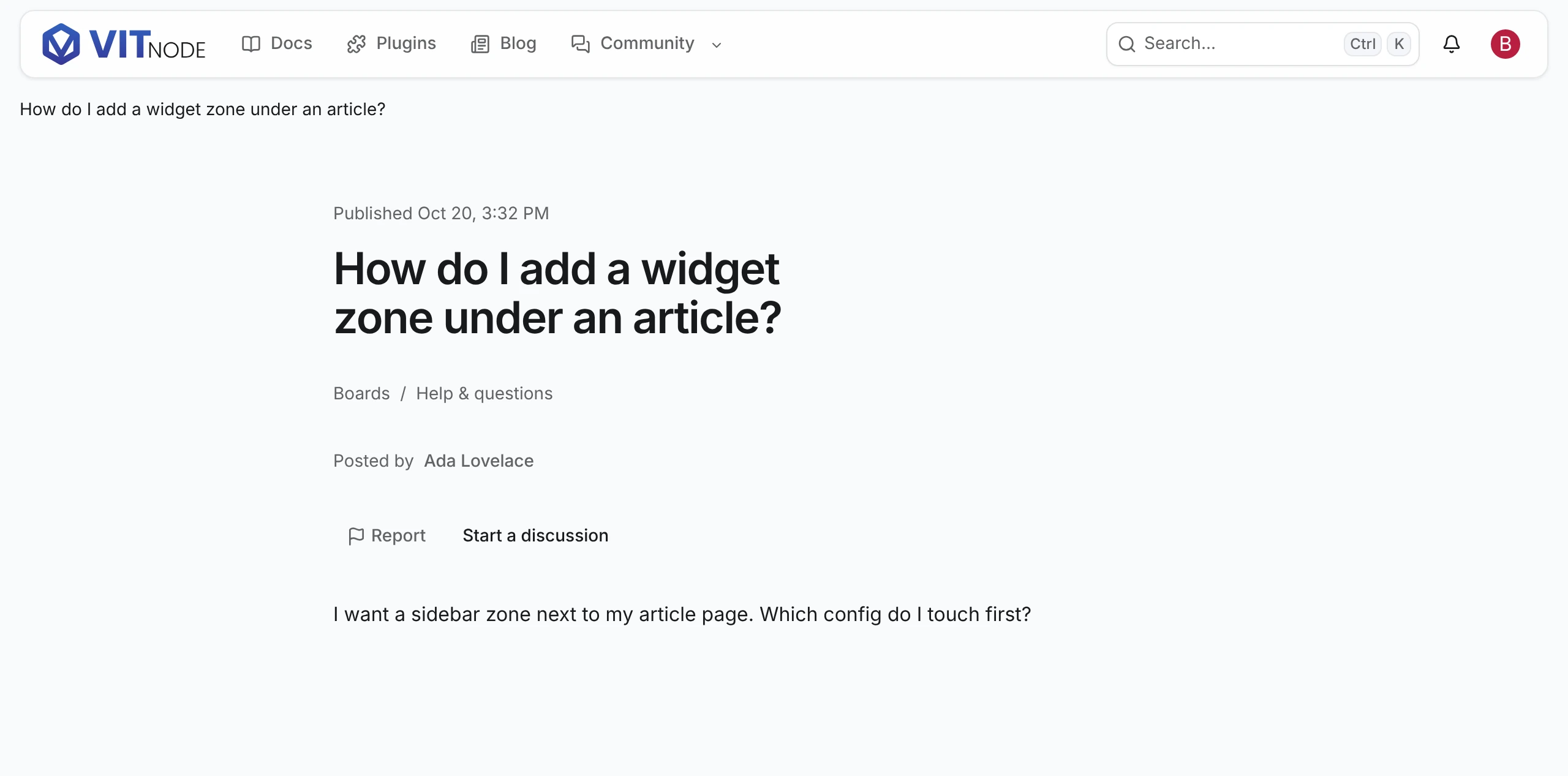
Sign in as a member and open someone else's discussion. Click Report and pick a reason:
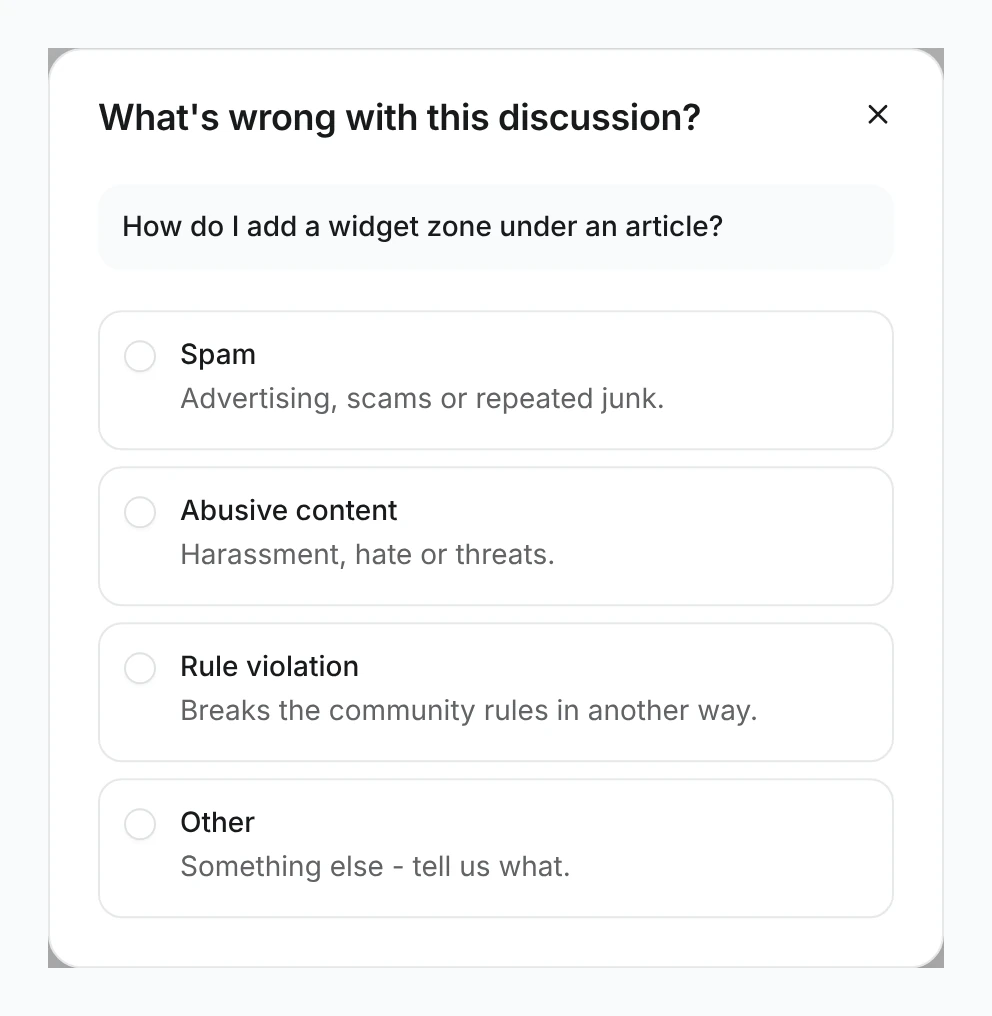
The dialog moves on to details, then says Report sent. A moderator with can_view_reports now sees it in the ModCP.