Public edit form
Let authors and moderators edit Content Engine records from the site with an Edit button from canEdit, a form loaded from GET /{id}/edit, and useContentPublicWrite for versions, conflicts and errors.
This guide adds an Edit button to each discussion and the page behind it. The Content Engine decides who may edit; your page asks it and shows the button. Saving catches the case where someone else saved first, without losing what the member typed.
You need public write with update, and the create form from Public create form.
Show the Edit button
useContentPermissions answers canEdit for every record on screen in one request. It is true for the owner while the rules allow it and for moderators with the edit permission; you never compare user ids yourself:
const { canEdit } = useDiscussionPermissions([item.id]).of(item.id);

{canEdit ? (
  <HrefLink className={buttonVariants({ variant: "outline" })} href={`/discussions/${item.id}/edit`}>
    {t("edit")}
  </HrefLink>
) : null}
useDiscussionPermissions is a five-line wrapper with the typed fetcher call, shown in Report content. On a list, pass every row's id at once.
Load the record
GET /{id}/edit answers for the people who may edit, drafts included. Turn every other answer into a page state:
const fetchEditable = async (id: number) =>
  await fetcher({
    plugin: manifest.id,
    method: "get",
    module: "content/discussions",
    path: "/{id}/edit",
    args: { params: { id } },
  });

export const route = definePluginRoute({
  load: async ({ params }) => {
    const res = await fetchEditable(Number(params.id));
    if (res.status === 200) return { record: await res.json(), state: "ready" as const };
    if (res.status === 401) return { state: "signIn" as const };
    if (res.status === 403) return { state: "forbidden" as const };

    return { state: "notFound" as const };
  },
});401: the visitor is signed out. Show a sign-in link.403: they can read the record but not edit it.404: it does not exist, or it is a draft or hidden record that is not theirs. The page never confirms it exists.
Save with the version
Pass the record's version to useContentPublicWrite. It sends the right expectedVersion with every save and keeps it current afterwards:
const DiscussionEditForm = ({ record }: { record: EditableDiscussion }) => {
  const t = useTranslations("@vitnode/example.discussions");
  const write = useContentPublicWrite({
    fields: ["title", "body"],
    latestVersion: async () => {
      const res = await fetchEditable(record.id);

      return res.status === 200 ? (await res.json()).version : null;
    },
    uniqueField: "title",
    version: record.version,
  });

  const onSubmit: AutoFormOnSubmit<DiscussionFormSchema> = async (values, form) => {
    const updated = await write.submit(form, async expectedVersion =>
      await fetcher({
        plugin: manifest.id,
        method: "patch",
        module: "content/discussions",
        path: "/{id}",
        args: { params: { id: record.id }, body: { values, expectedVersion } },
      }),
    );
    if (!updated) return;

    form.reset(values);
    toast.success(t("edit.success.title"));
  };

  return (
    <>
      {write.conflict}
      <DiscussionForm defaultValues={record.values} onSubmit={onSubmit} submitLabel={t("edit.submit")} />
    </>
  );
};record.valuesholds exactly the editable fields, so it fills the form as is.PATCHchanges only the fields you send.- When someone else saved first, nothing is written and
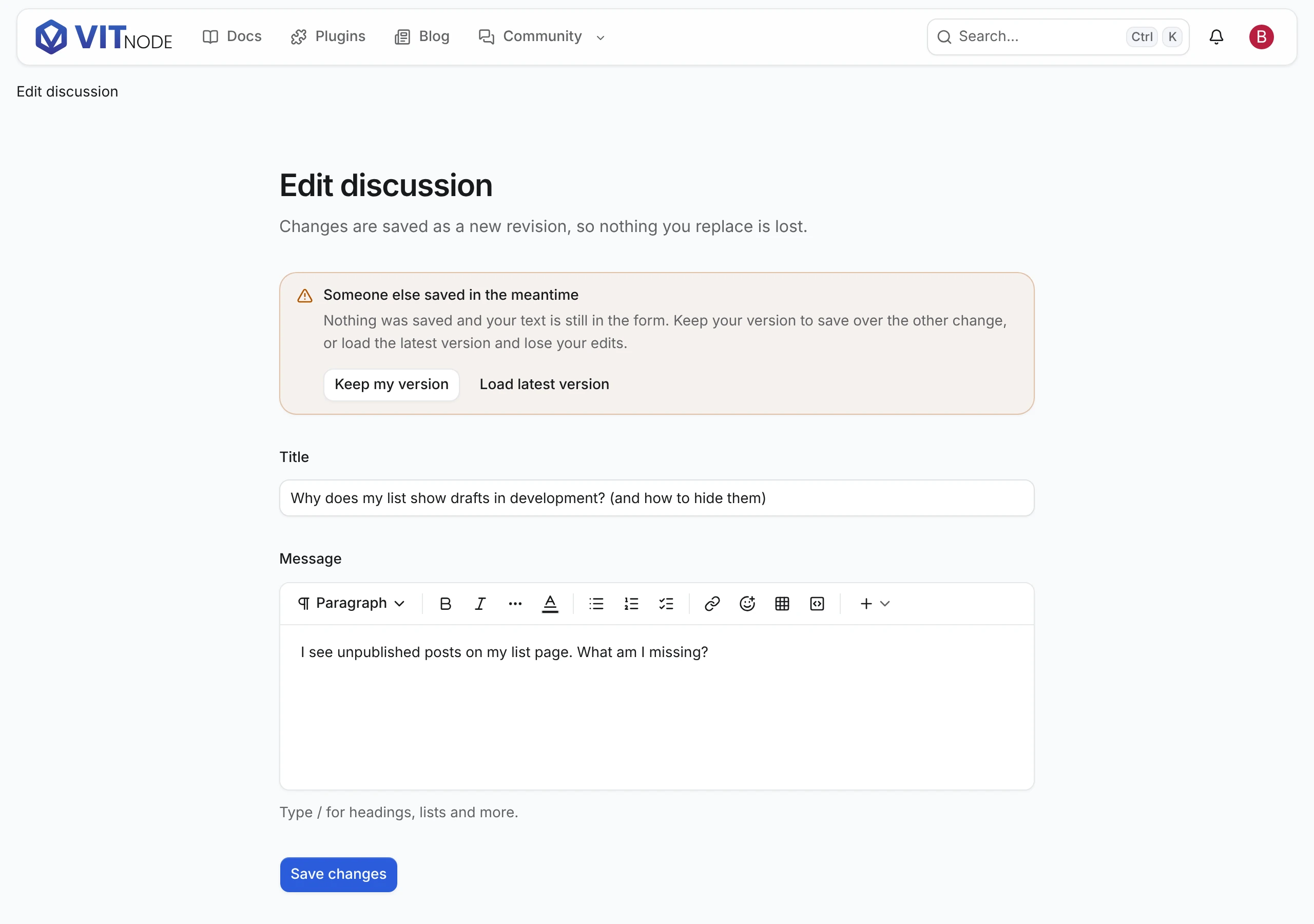
write.conflictshows an alert above the form. The member's text stays. Keep my version useslatestVersionso the next save replaces the other change; Load latest version reloads the page. - Field errors, an expired session and a refusal show the same way as on the create form.
Edits that wait for a moderator
In a container whose publishing policy says edits: "approve", an author's save of a published record succeeds, but readers still see the old text. updated.approval?.status is "pending" and updated.values is the live record. Say so instead of "Changes saved", and open the form on the proposal next time:
const proposed =
  record.approval?.status === "pending" && record.approval.kind === "edit"
    ? record.approval.values
    : null;
Approvals shows the notice the forum renders.
Check the result
Sign in as the author of a discussion:
- Its page shows Edit. Other members see Report instead.
- Change the title and click Save changes. A Changes saved toast appears.
- Save the same discussion in a second tab, then save in the first. Someone else saved in the meantime appears and your text stays. Click Keep my version, then save again.
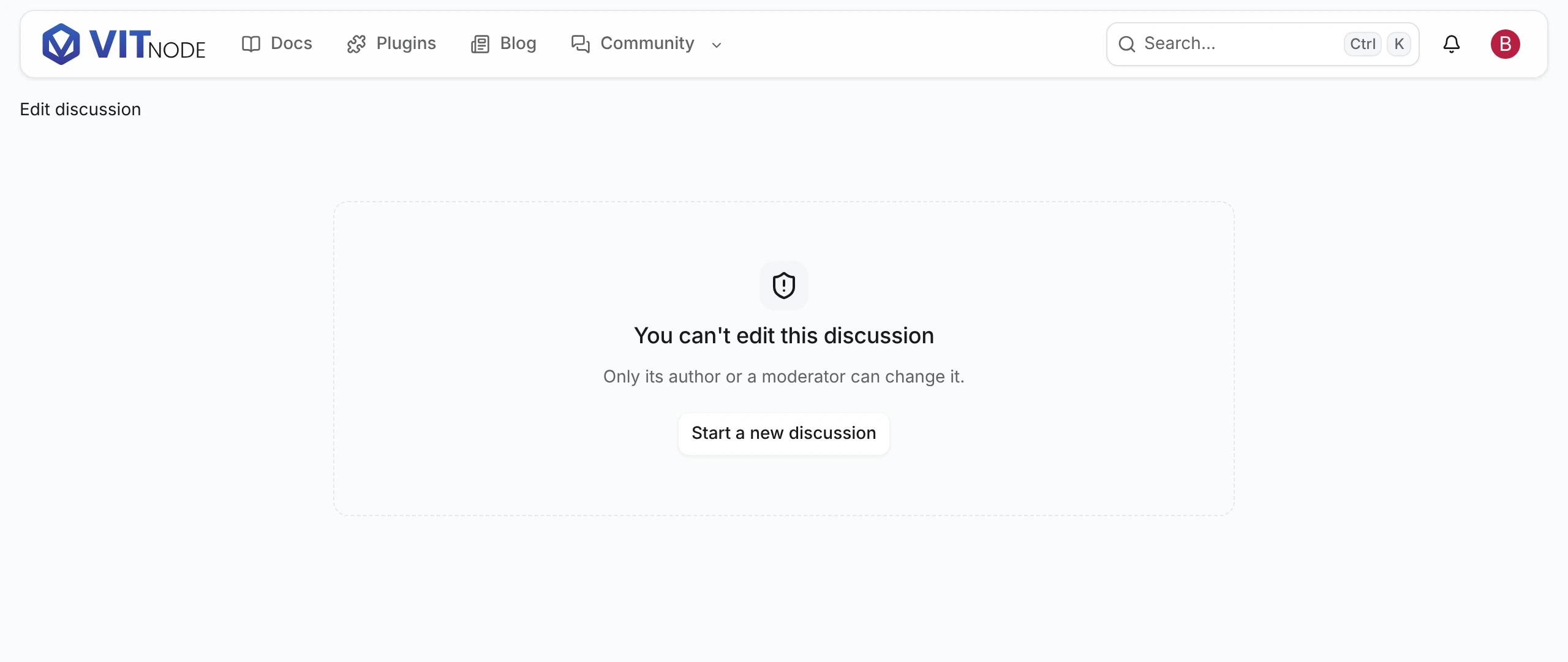
- Open the edit URL as another member. The page says they can't edit it.