Public pages
Give every published VitNode Content Engine record its own URL with delivery, a plugin page, slug redirects and localized URLs.
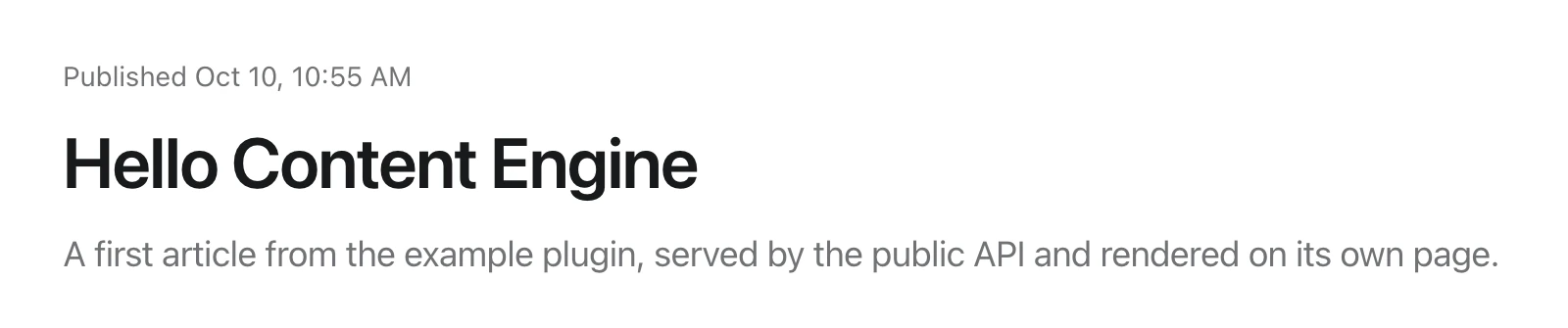
Delivery turns a published record into a web page at a stable URL, such as /articles/hello-content-engine. The Content Engine resolves the URL, answers 404 for drafts, redirects retired slugs and builds the page's SEO metadata from fields you choose. Your plugin owns the page component, so the content type, its API and its URL stay in one plugin.
The content type needs publication and a public API. This guide continues with example.article.
Turn on delivery
Add a delivery block to the definition:
export const articleContentType = defineContentType({
  id: "example.article",
  delivery: {
    redirects: true,
    seo: {
      titleField: "title",
      descriptionField: "excerpt",
      noIndexField: "noIndex",
      openGraph: { titleField: "title", descriptionField: "excerpt" },
    },
    sitemap: { changeFrequency: "weekly", priority: 0.7 },
  },
});- Every SEO field must also be in
publicApi.fields, because the page renders it publicly. That is why the example listsnoIndexthere. noIndexFieldnames a boolean. When it istrue, the page getsnoindex, nofollowand the record leaves the sitemap.redirectsneedseditorial: true, which the example article already has.sitemapneedspublication.- The page URL defaults to
/{publicApi.path}/:slug, so articles live at/articles/:slug. Setdelivery.pathto use another URL. It needs exactly one:slugand cannot start with/adminor/api.
Export the plugin's content types
Export every content type with public URLs from src/content.ts:
import { advancedArticleContentType } from "@/content/advanced-article";
import { articleContentType } from "@/content/article";
import { categoryContentType } from "@/content/category";
import { localizedArticleContentType } from "@/content/localized-article";
import { pageContentType } from "@/content/page";

export const contentTypes = [
  articleContentType,
  advancedArticleContentType,
  localizedArticleContentType,
  categoryContentType,
  pageContentType,
];
The build compares these URLs with your plugin's routes. A content type whose URL no page serves stops dev and build with a content-url-without-page error, so a broken canonical link never ships. Plugin files explains how the build finds this module.
Claim the URL
Add a page for the same path to the plugin's routes:
export const routes = definePluginRoutes([
  page("/articles/:slug", {
    component: lazy(() => import("./pages/article-page")),
    messages: ["@vitnode/example.articles"],
  }),
]);
Write the page
The loader calls two public routes in parallel. /delivery/resolve/{slug} says whether the URL is a record, an old slug to redirect, or nothing. /{slug} returns the record's public fields.
import {
  definePluginRoute,
  type PluginRoutePageProps,
} from "@vitnode/core/routing";
import {
  contentDeliveryPage,
  contentDeliveryPageHead,
} from "@vitnode/core/tanstack/content";
import { fetcher } from "@vitnode/core/tanstack/fetcher";
import { z } from "zod";

import { manifest } from "@/manifest.gen";

import { ContentArticle } from "./content-article";

const zodArticle = z.object({
  excerpt: z.string().nullable(),
  publishedAt: z.string().nullable(),
  title: z.string(),
});

const loadArticle = async (slug: string) => {
  const [resolution, detail] = await Promise.all([
    fetcher({
      plugin: manifest.id,
      method: "get",
      module: "content/articles",
      path: "/delivery/resolve/{slug}",
      args: { params: { slug: encodeURIComponent(slug) } },
    }),
    fetcher({
      plugin: manifest.id,
      method: "get",
      module: "content/articles",
      path: "/{slug}",
      args: { params: { slug: encodeURIComponent(slug) } },
    }),
  ]);

  if (resolution.status !== 200) {
    throw new Error(
      `Resolving the article "${slug}" answered ${resolution.status}.`,
    );
  }

  return contentDeliveryPage({
    item: detail.status === 200 ? zodArticle.parse(await detail.json()) : null,
    resolution: await resolution.json(),
  });
};

type ArticlePageData = Awaited<ReturnType<typeof loadArticle>>;

export const route = definePluginRoute({
  load: async ({ params }) => await loadArticle(params.slug),

  head: ({ loaderData }) =>
    contentDeliveryPageHead(loaderData?.metadata, {
      title: loaderData?.item.title,
    }),
});

const ArticlePage = ({
  loaderData: { item },
}: PluginRoutePageProps<ArticlePageData>) => (
  <ContentArticle
    lead={item.excerpt}
    publishedAt={item.publishedAt}
    title={item.title}
  />
);

export default ArticlePage;contentDeliveryPagereturns{ item, metadata }. It throws a not-found for an unknown slug or a draft, and a308redirect for a retired slug.contentDeliveryPageHeadsets the title, the meta description (HTML stripped, cut at 160 characters),robotsfor a no-index record andhreflangalternates for localized content.loadcomes beforehead, so TypeScript can inferloaderData.ContentArticleis the plugin's own layout component.
Render the record's fields
The detail route returns each field in publicApi.fields in a shape made for rendering. The blog's plugins/blog/src/pages/post-page.tsx uses all of them:
| Field kind | What /{slug} returns | Render it with |
|---|---|---|
| Text, textarea, slug | string (or null when nullable) | Plain JSX. React escapes it |
| Rich text | A ProseMirror document. Validate it with zodRichTextDocument | RichTextContent from @vitnode/core/components/rich-text |
Dates such as publishedAt | An ISO string, or null | DateFormat from @vitnode/core/components/date-format inside a <time dateTime> |
| Files | { id, url, name, size, mimeType, width?, height?, alts? }, never the stored file id | An <img> with url, width and height; pick the alt text with resolveImageAlt from @vitnode/core/lib/files/resolve-alt |
People from publicApi.people | { id, name, fullName, nameCode, avatarColor, avatarUrl, role }, or null for a deleted account | UserFormat from @vitnode/core/components/user-format, Avatar from @vitnode/core/components/avatar |
| To-one relations | { id } | Load the related record separately when you need more than its id |
<p className="text-muted-foreground flex items-center gap-2 text-sm">
  {t("posted_by")}
  {item.author ? (
    <UserFormat format link user={item.author} />
  ) : (
    <span>{t("deleted_user")}</span>
  )}
</p>

<RichTextContent className="leading-relaxed" content={item.body} />
RichTextContent renders the document as React elements on the server and in the browser, without dangerouslySetInnerHTML. Validate an author with zodContentPublicPerson from @vitnode/core/content when your page parses the response with Zod.
Pages without delivery
Delivery is optional. A content type without it still has GET /{slug}, and your page reads it directly. The example plugin's discussions do this. contentPageItem from @vitnode/core/tanstack/content throws the router's not-found for a null record, like contentDeliveryPage does:
const detail = await fetcher({
  plugin: manifest.id,
  method: "get",
  module: "content/discussions",
  path: "/{slug}",
  args: { params: { slug: encodeURIComponent(slug) } },
});

const item = contentPageItem(
  detail.status === 200 ? zodDiscussion.parse(await detail.json()) : null,
);
Without delivery there are no slug redirects, no canonical metadata and no sitemap entries, so write head yourself. The SEO guide covers the head helpers.
Missing, hidden and unavailable records
The public routes answer the same 404 for a slug that never existed, a draft, a scheduled record and a record whose translation is unpublished, so a page cannot reveal that a draft exists. Both contentDeliveryPage and contentPageItem turn that into the app's not-found page. Give the route a notFound component when you want a page-specific message.
A hidden record is the exception. Its author and moderators who may view hidden records still get it, with Cache-Control: private, no-store and noindex, and delivery sets metadata.hidden: true. The blog uses that flag to show a "hidden" notice and to drop the Report button. Everyone else gets 404.
Add Edit and Report buttons
Put Edit and Report next to the title. useContentPermissions tells you which ones this visitor gets, as canEdit and canReport. See Public edit form and Report content.
Keep old URLs working
Renaming a slug breaks links people already shared. With delivery.redirects, the old slug is stored in core_content_slug_history when an editor changes it, and the resolve route answers { "type": "redirect", "status": 308, "location": "/articles/new-slug" }. contentDeliveryPage turns that into a 308 redirect. While a record is hidden, its page and its old slugs answer 404 instead.
Sitemap entries
delivery.sitemap lists every published URL for crawlers. SEO covers the route, paging and turning the entries into XML.
Localized URLs
Every URL delivery builds follows the app's localized URL rules: language prefixes, per-language domains and translated route segments. The blog plugin's posts are a working example. They are localized and live at /blog/article/:slug, and the web app translates that route for Polish:
i18n: {
  routePaths: {
    pl: {
      '/blog/article/:slug': '/wpisy/:slug',
    },
  },
},
The blog's sitemap then lists /blog/article/english-title for English and /pl/wpisy/polish-title for Polish, and only published translations become hreflang alternates. Every delivery option is in the content type reference.
Check the result
Open http://localhost:3000/articles/hello-content-engine. Delivery adds no columns, so there is nothing to migrate.
The page head carries the article's title and excerpt:
curl -s http://localhost:3000/articles/hello-content-engine | grep -oE '<title>[^<]*</title>|<meta content="[^"]*" name="description"/>'<title>Hello Content Engine - VitNode</title>
<meta
content="A first article from the example plugin, served by the public API and rendered on its own page."
name="description"
/>The resolve route shows what the loader received. openGraph, canonicalPath and hreflang are there too if you want to render more tags yourself:
curl http://localhost:3000/api/@vitnode/example/content/articles/delivery/resolve/hello-content-engine{
"type": "content",
"canonicalPath": "/articles/hello-content-engine",
"canonicalInternalPath": "/articles/hello-content-engine",
"seo": {
"title": "Hello Content Engine",
"description": "A first article from the example plugin, served by the public API and rendered on its own page."
},
"openGraph": {
"title": "Hello Content Engine",
"description": "A first article from the example plugin, served by the public API and rendered on its own page."
},
"robots": { "follow": true, "index": true },
"alternates": [],
"hreflang": { "languages": {} },
"isFallback": false,
"itemId": null,
"locale": null,
"requestedLocale": null
}itemId is null because id is not in the article's publicApi.fields. Unpublish the article and the same URL shows the app's not-found page.