EmailComponents
Card
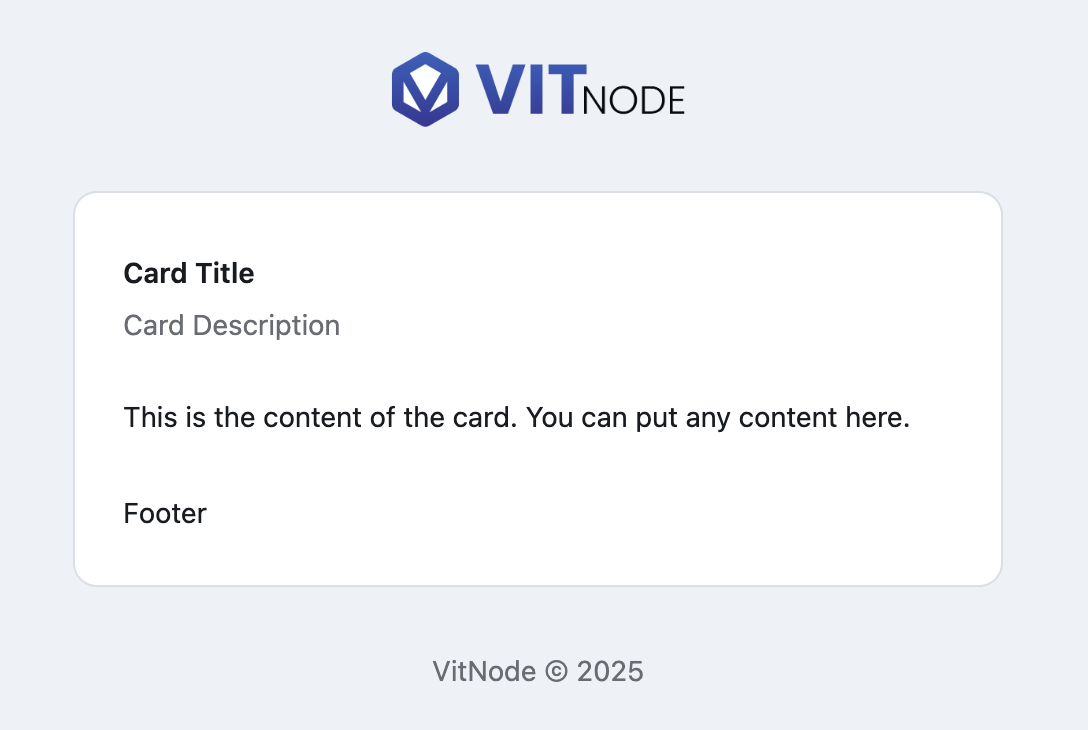
EmailCard gives a VitNode email a bordered container with header, title, description, content and footer sections.
EmailCard is the container the framework's own mail puts its message in: a
white panel with a border, a rounded corner and consistent padding. Six
components, each a thin wrapper over a React Email primitive, so they compose
like the app's card does.
Preview
Usage
import {
  EmailCard,
  EmailCardContent,
  EmailCardDescription,
  EmailCardFooter,
  EmailCardHeader,
  EmailCardTitle,
} from '@vitnode/core/emails/ui/card'
import { Text } from 'react-email'<EmailCard>
<EmailCardHeader>
<EmailCardTitle>Card Title</EmailCardTitle>
<EmailCardDescription>Card Description</EmailCardDescription>
</EmailCardHeader>
<EmailCardContent>
<Text className="m-0">
This is the content of the card. You can put any content here.
</Text>
</EmailCardContent>
<EmailCardFooter>
<Text className="m-0">Footer</Text>
</EmailCardFooter>
</EmailCard>Every part is optional. A card with nothing but EmailCardContent inside it is
a perfectly good panel.
Components
| Component | Renders | Styling it brings |
|---|---|---|
EmailCard | Section (a <table>) | Card background, border, rounded-xl, vertical padding |
EmailCardHeader | Section | Horizontal padding and space below |
EmailCardTitle | Text (a <p>) | text-xl font-semibold, with the line height zeroed |
EmailCardDescription | Text | Muted, small, no margin |
EmailCardContent | Section | Horizontal padding |
EmailCardFooter | Section | Horizontal padding and space above |
Props
Each component takes the props of the primitive it renders - so className,
style and children, plus the table or paragraph attributes underneath.
Prop
Type
Gotchas
bg-card, border-border and text-muted-foreground are defined by
DefaultTemplateEmail, which wraps your content in a <Tailwind> carrying
VitNode's palette. In a template that builds its own document, those classes
resolve to nothing. Templates lists
the tokens.
A React Email Text renders a <p> with its own margins, which stack oddly
inside a padded section. That is why the snippets above pass m-0 on the
paragraphs they place directly in a card.
Each of these renders a <table>, because that is what survives Outlook.
Nesting them is fine and expected; floating or absolutely positioning them is
not a thing email can do.