EmailComponents
Button
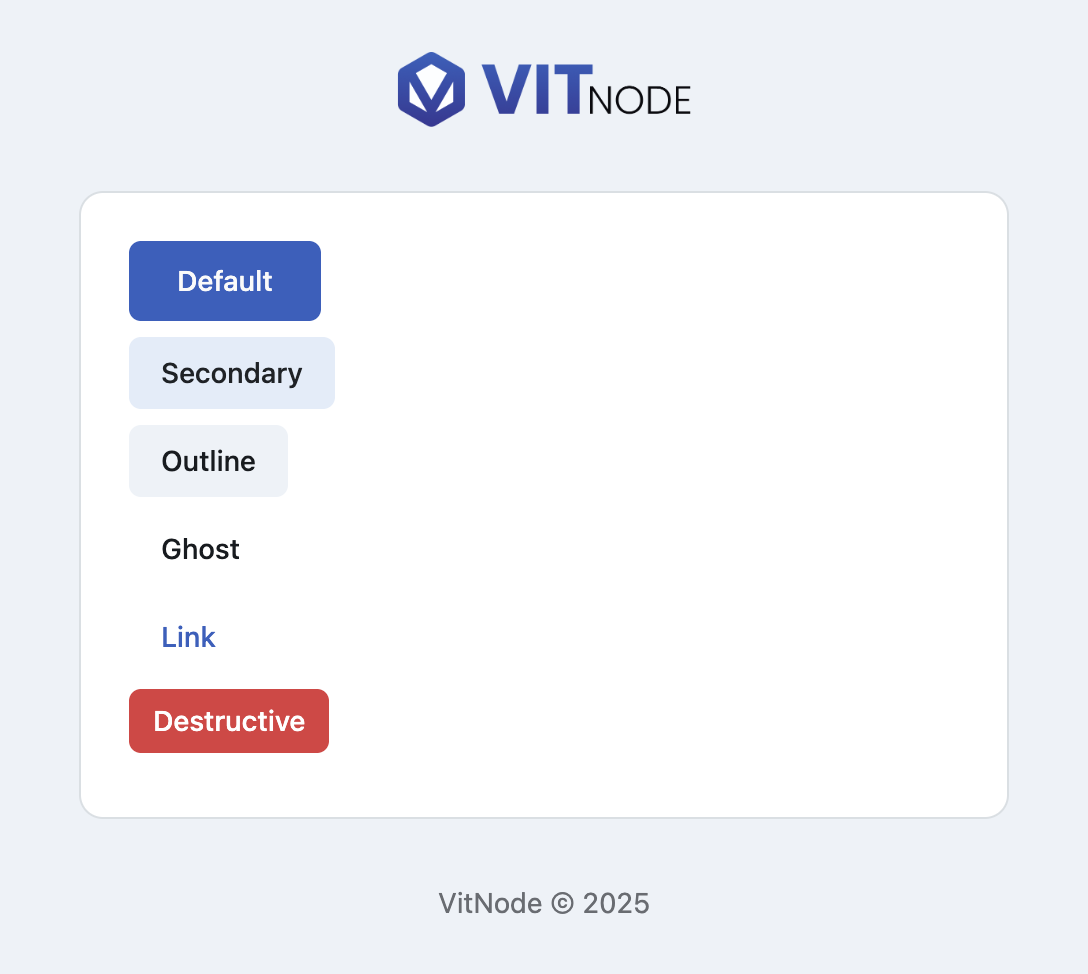
EmailButton renders a call-to-action link for VitNode emails, with the same variants and sizes as the app button.
EmailButton wraps React Email's Button with the variants the app's own
button uses, so a call to action in a mail looks like a call to action on the
site. It renders an <a>, which is the only thing every mail client agrees to
style.
Preview
Usage
import { EmailButton } from '@vitnode/core/emails/ui/button'<EmailButton href="https://vitnode.com/">Default</EmailButton>Centre it the way the framework's own password-reset mail does - a Section
does the alignment, because margins are not to be trusted in email:
<Section className="text-center">
  <EmailButton className="min-w-[200px]" href={resetUrl} size="lg">
    Reset your password
  </EmailButton>
</Section>
Props
Everything an <a> takes, plus two of its own.
Prop
Type
Variants
| Variant | Looks like | Use it for |
|---|---|---|
default | Solid primary fill, light text | The one action the email is asking for |
secondary | Soft tinted fill, dark text | A second, lesser action |
outline | Border, page-background fill | A neutral action next to a primary one |
ghost | Text only, no fill or border | Tertiary actions |
link | Primary-coloured text, no fill | Inline links styled as buttons |
destructive | Solid red fill, white text | Delete, revoke, cancel |
destructiveGhost | Red text, no fill | A destructive action that should not shout |
Sizes
| Size | Padding |
|---|---|
sm | px-3 py-1.5 |
default | px-4 py-2 |
lg | px-6 py-2.5 |
Gotchas
bg-primary and friends are defined by DefaultTemplateEmail, which wraps
your content in a <Tailwind> with VitNode's palette. Drop an EmailButton
into a template that builds its own document and the classes resolve to
nothing. Templates lists the
tokens.
There is no onClick and no type="submit" to reach for - email has no
JavaScript. Every action is a URL, which usually means a signed link into your
app.