Activity Logs
Activity Logs
VitNode's audit log answers who changed what, when and on which resource, across the AdminCP, moderators, plugins and Content Engine content.
Activity Logs (audit logs) are where VitNode answers "wait, who changed this?". They record administrative, moderation, plugin and content operations in one place. Every entry says who acted, from which area (AdminCP, ModeratorCP, the site or the system), which plugin and action it was, which resource it touched and what changed. You read them in the AdminCP, next to your staff:
- Admin logs: AdminCP → Staff → Administrators → Logs
(
/admin/core/staff/admins/logs). AdminCP changes, plus what members, plugins and scheduled jobs did. - Moderator logs: AdminCP → Staff → Moderators → Logs
(
/admin/core/staff/moderators/logs). What moderators did: reports, approvals and hidden content.
Each staff list has a Logs button that opens its log.
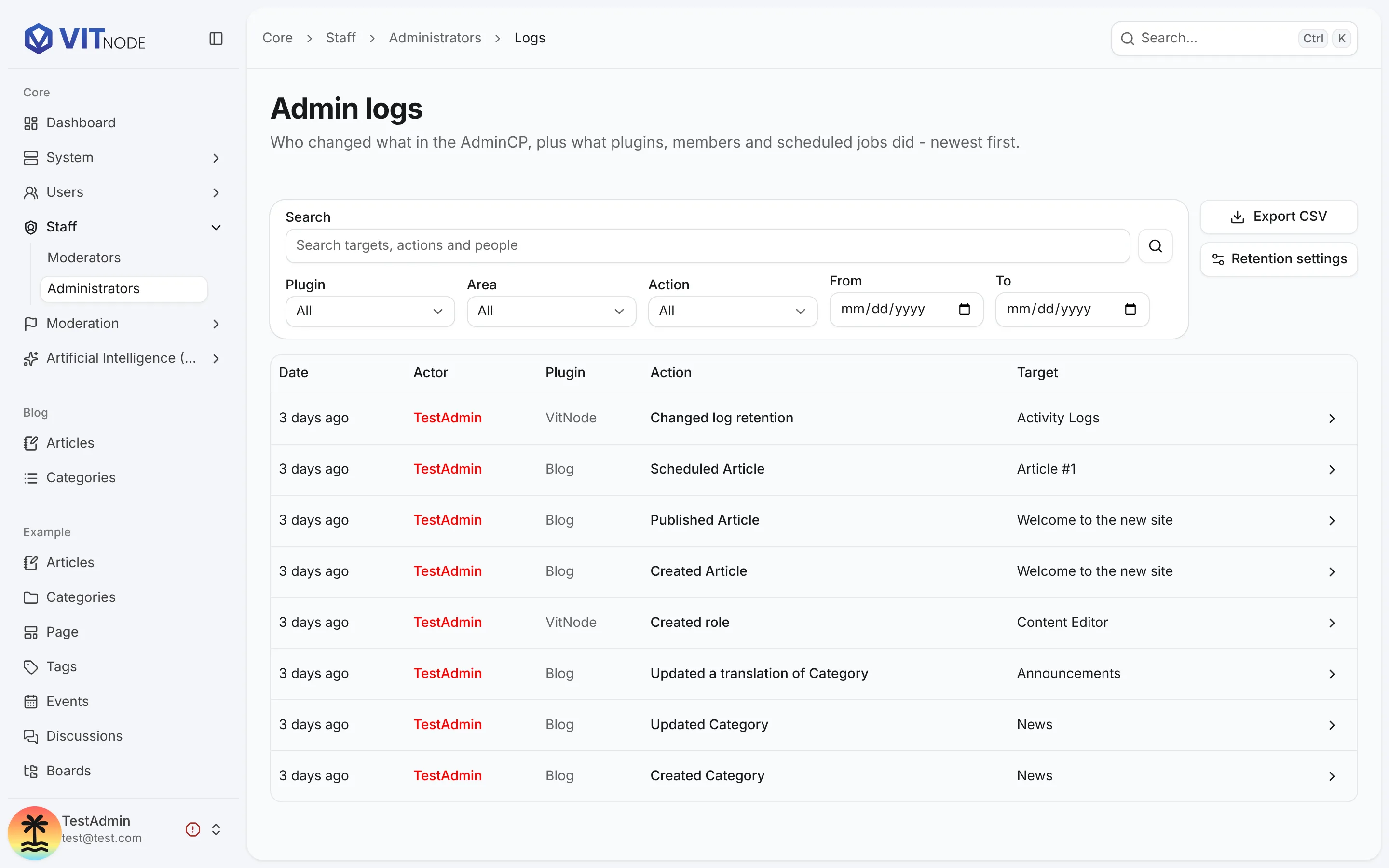
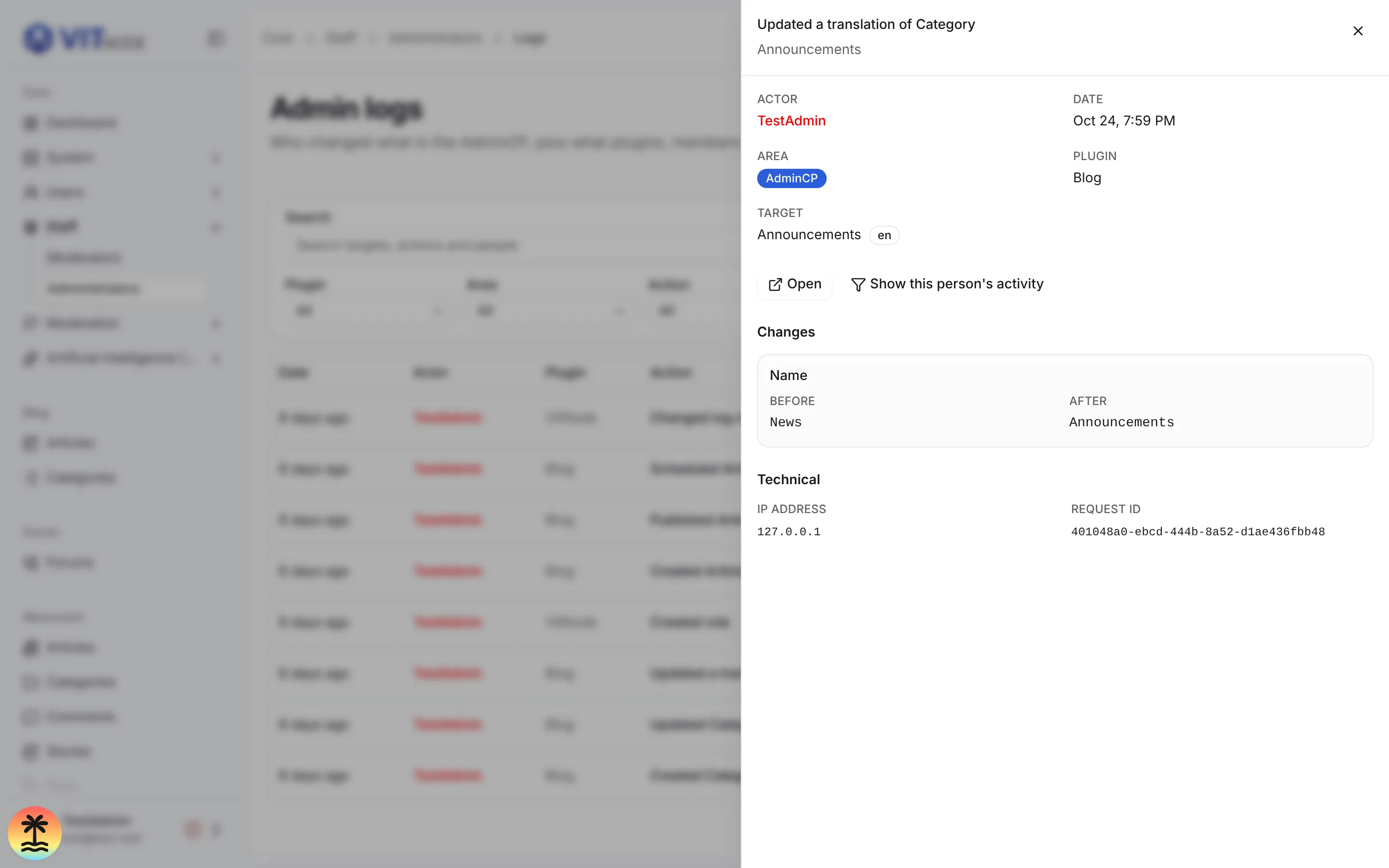
Filter by plugin, action, date range or free text (target, action and actor name). The admin log also filters by area, and shows an Area column only when the entries on screen come from more than one area. Click an entry to open its details: the actor, the plugin, the target, each changed field before and after, an Open link to the target and Show this person's activity.
What gets recorded without any code
| Area | Recorded automatically |
|---|---|
| Content Engine | Create, edit, delete, duplicate, publish, unpublish, hide, unhide, restore, schedule and every translation change of every content type |
| Roles and staff | Roles created, edited and deleted; administrator and moderator permissions added, changed and removed |
| Users | Profile and role changes made in the AdminCP, password resets, email verification, signed-out devices |
| Settings | AI settings and access, notification types and danger-zone actions, report reasons, log retention and log exports |
| Moderation | Taking, assigning, resolving and reopening reports, report notes, acting on reported content, approving and rejecting submissions |
| Background work | Scheduled publishing, cron jobs and queue tasks, attributed to the system; manual cron runs, attributed to the admin who started them |
| Payments | Checkouts started by members, and every status change the provider reports (processing, succeeded, failed, expired) |
Your plugin's own operations, such as creating a note or refunding an order, take one call. See Record plugin events.
Audit logs, revisions and technical logs
VitNode keeps three kinds of history, and each one answers a different question.
| History | Answers | Stored in |
|---|---|---|
| Activity Logs | Who did what, when, to which resource | core_audit_logs |
| Content revisions | What a record's content used to be, restorable | core_content_revisions |
| Technical logs | Warnings and errors for whoever debugs the server | core_logs |
For an editorial content type, the audit entry points at the revision it created instead of copying the content. The detail sheet then shows what changed since the previous revision.
Choose a guide
| You want to | Read |
|---|---|
| Record your plugin's own operations, with before/after changes | Record plugin events |
| Understand or tune what the Content Engine records | Content Engine activity logs |
| Decide who may read the logs, how long they are kept, export them | Access and retention |
| Look up the API, the stored fields and the limits | Activity Logs reference |