Notifications
Preferences
How VitNode decides which notifications each member receives in the inbox, as push and by email, from AdminCP policies, mandatory types and the member's own choices.
Members choose, per notification type, whether it shows in their notification list, whether it comes as push and how it reaches them by email. Core builds the page at /settings/notifications from the registered types, so a new plugin's types appear there with no UI code.
The settings page
/settings/notifications has two parts:
- Where notifications reach you turns push and email on or off for the whole account. The Email switch turns notification email off for every type the member can change, after a confirmation.
- What you get notified about lists one row per type. The bell, phone and mail icons show what is on. Opening a row shows a switch per channel and, when email is on, a choice between Right away, Daily digest and Weekly digest.
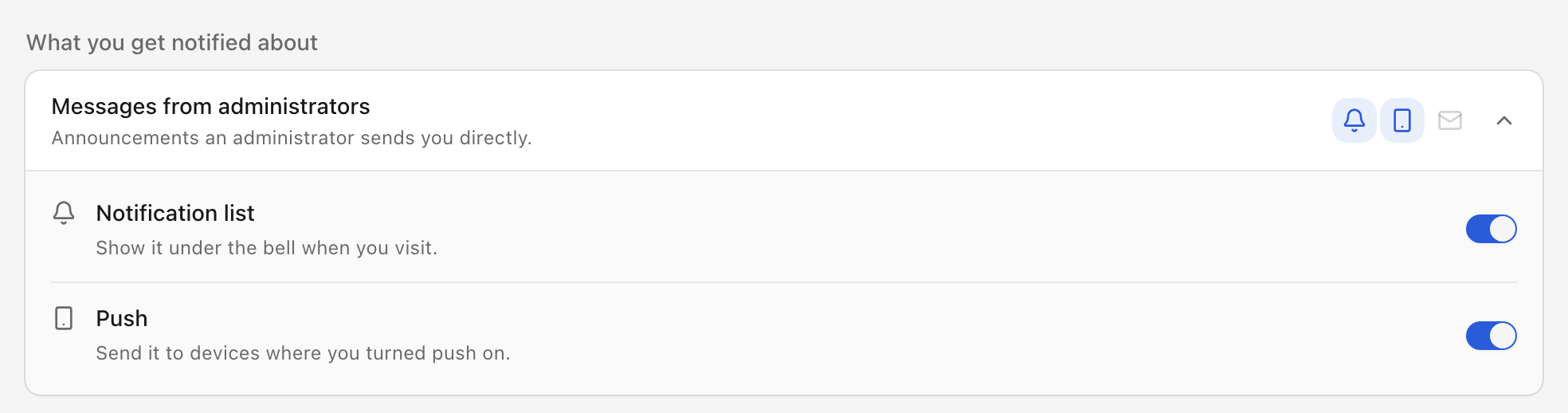
Every change saves at once and confirms with a toast.
Members can turn push on, and core stores and respects those choices, but VitNode does not send push notifications yet. Nothing changes for members when delivery arrives.
How core decides what a member receives
Core resolves the notification list, push and email separately, so a member can take a type by email only, in the list only, both or neither. For each type it checks, in this order:
- Disabled by the installation. The member gets nothing. Mandatory types skip this check.
- Mandatory type. Always in the notification list. Email follows the installation default.
- The member's own choice, unless an administrator turned off Member can edit for the type in the AdminCP.
- The installation default set in the AdminCP.
- The type's own
defaults.
A channel the AdminCP set to Disabled is off for everyone and disappears from members' settings. Locked types show "Set by the admin", and the API refuses changes to them with 400. Push is on by default wherever the installation allows it.
A type offers email only when it declares email, an email adapter is configured, and the AdminCP has not set its email to Disabled. There is no installation-wide email switch: to stop one kind of email, disable email on that type.
Example
forum.topic_reply defaults to { inApp: true, email: 'daily' }. An administrator changed its email default to weekly.
| Member | Notification list | |
|---|---|---|
| Never opened preferences | yes | weekly, the installation default |
| Chose Right away | yes | immediate, their choice |
| Turned the notification list off | no | weekly, email is independent |
| Anyone, after email is set to Disabled | yes | none |
Time zone
Digests go out at 08:00 in the member's time zone. The time zone belongs to the account, not to notifications: members set it under Region on /settings, and Use this device's time zone fills it in from the browser. Without one, core uses the time zone of the member's language, then UTC. See How digests are scheduled.
Account email is not a notification
Password resets, email verification and sign-in codes are sent with c.get("email").send(). They never pass through notification preferences, AdminCP policies or digests, so a member who turned every notification off still receives them. Use a mandatory type for account notices that also belong in the inbox.