SSO
Add Facebook sign-in to VitNode. Create a Meta app with the Facebook Login use case, set the OAuth redirect URI and register the Facebook SSO adapter.
Facebook sign-in goes through a Meta app with the Facebook Login use case
switched on. Meta calls the two credentials an App ID and an App Secret;
VitNode calls them clientId and clientSecret, and they are the same two
strings.
Before you begin
- A running VitNode app. This page covers only the Facebook parts; SSO setup explains the shared steps and where the API's
.envand config live.
Set up the Meta app
Sign in to Meta for Developers
Go to developers.facebook.com and sign in with the Facebook account that should own the app. Meta walks you through registering as a developer the first time, which means confirming your contact details before you can create anything.
Create an app
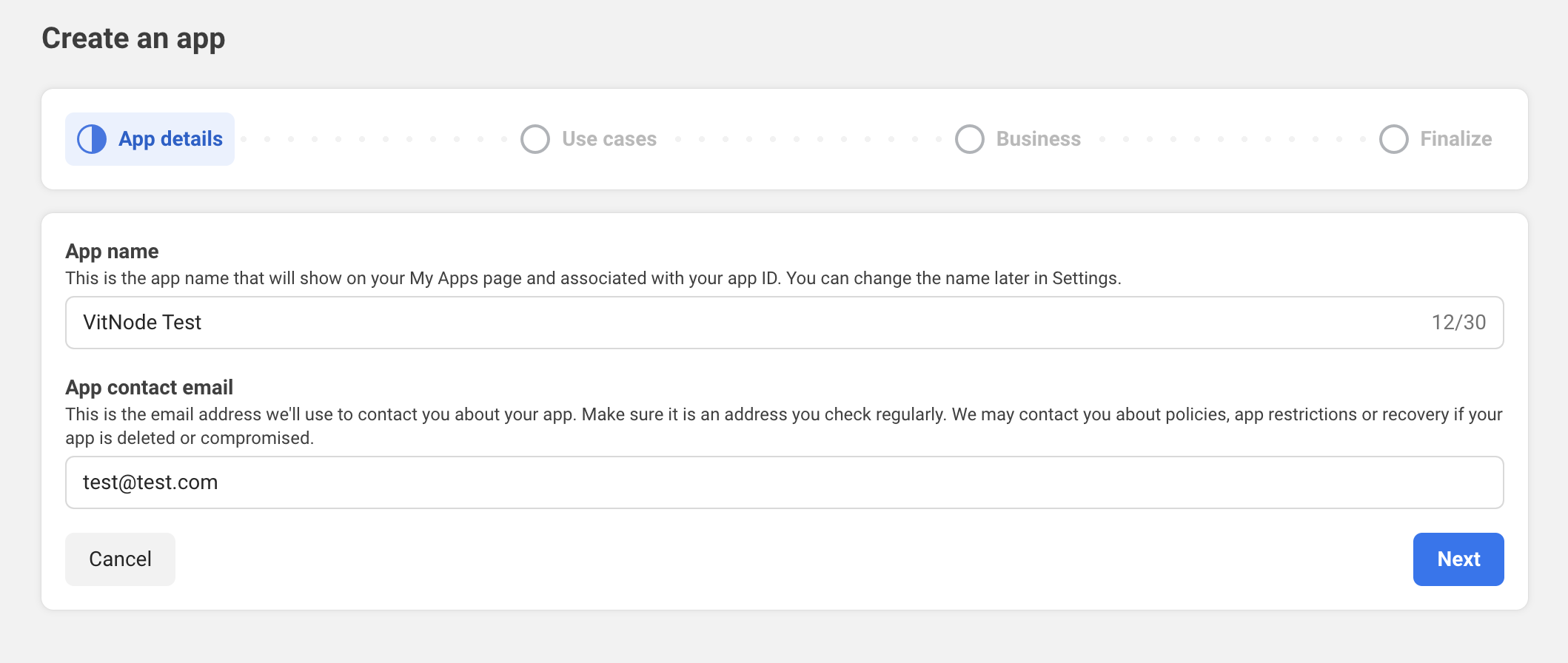
From My Apps, press Create App. The first screen wants an App name, which visitors read on the login dialog, and an App contact email.
Choose the Facebook Login use case
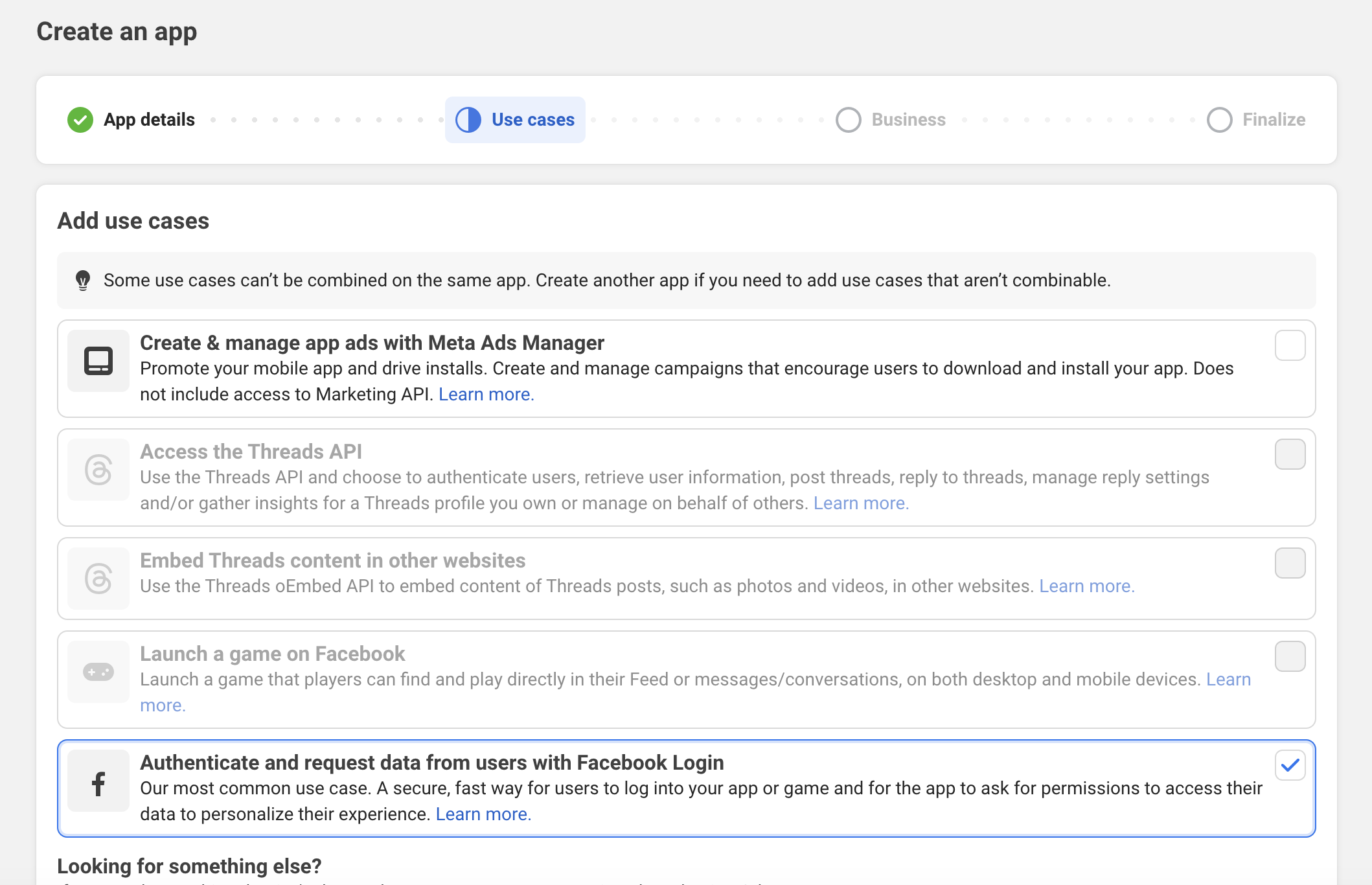
On the Use cases step, tick Authenticate and request data from users with Facebook Login. This is the one that gives the app an OAuth dialog; the others (Ads Manager, Threads, games) do not, and Meta will not let you combine some of them on one app.
Finish the wizard. The Business step lets you skip connecting a business portfolio, then review Requirements and Overview and press Go to dashboard.
Add the OAuth redirect URI
In the app dashboard, open the Facebook Login use case's settings: Use cases → Authenticate and request data from users with Facebook Login → Customize → Settings on a new app, or Products → Facebook Login → Settings on an older one. Paste your URI into Valid OAuth Redirect URIs and save.
VitNode builds this URI itself, from VITNODE_WEB_URL, so it has to match
character for character, with no trailing slash and no locale prefix.
| Environment | Valid OAuth Redirect URI |
|---|---|
Development (VITNODE_WEB_URL unset) | http://localhost:3000/login/sso/facebook |
| Production | https://your-domain.com/login/sso/facebook |
Valid OAuth Redirect URIs rejects a plain http:// URL for a public
domain, so a production entry has to be https://. http://localhost is the
exception Meta makes for development, which is why the table above has two
rows rather than one.
Copy the App ID and App Secret
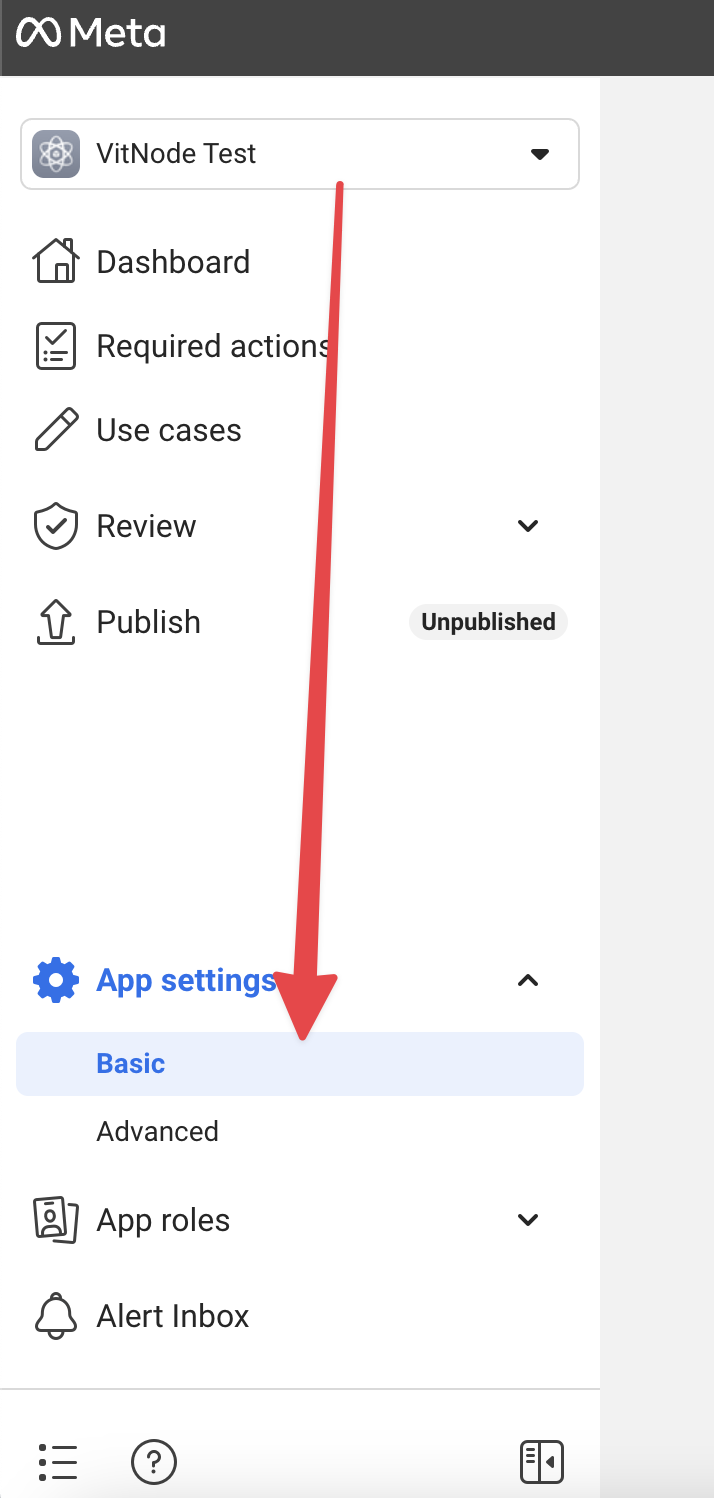
Go to App settings → Basic in the left navigation. The App ID is in plain text; the App Secret is behind a Show button and your password.
Set the environment variables
These are server-side variables, so leave them out of clientEnv. That list
publishes a value to the browser bundle, and an app secret in the browser bundle
is an app secret you have published.
FACEBOOK_CLIENT_ID=1234567890123456
FACEBOOK_CLIENT_SECRET=xxxxxxxxxxxxxxxxxxxxxxxxxxxxxxxx
Add the adapter
Add FacebookSSOApiPlugin to authorization.ssoAdapters in the API's vitnode.api.config.ts (where it lives), next to any adapters you already have. Keep the rest of the config as it is:
import { FacebookSSOApiPlugin } from '@vitnode/core/api/adapters/sso/facebook'
import { buildApiConfig } from '@vitnode/core/vitnode.config'

export const vitNodeApiConfig = buildApiConfig({
  // ...
  authorization: {
    ssoAdapters: [
      // ...
      FacebookSSOApiPlugin({
        clientId: process.env.FACEBOOK_CLIENT_ID,
        clientSecret: process.env.FACEBOOK_CLIENT_SECRET,
      }),
    ],
  },
})
No authorization block yet? Create one with just ssoAdapters, as in the SSO setup. Then restart the dev server, since .env and the API config are only read at start-up.
Check the result
Open /login in a private window and press the Facebook button under Continue with. You should get Meta's "Continue as
..." dialog, be bounced back to /login/sso/facebook?code=...&state=..., and
land on the front page signed in. Your account now has a row in core_users_sso
with providerId facebook.
Publish the app
While the app is Unpublished (the badge next to Publish in the screenshot above), only people with a role on it (admins, developers and testers) can sign in. Everyone else is turned away at Meta's dialog before VitNode ever sees a callback. Go to Publish and switch the app live once the round trip works.
public_profile and email are both standard-access permissions, so this does
not require App Review. Ask for anything beyond them and it will.
What the adapter asks Facebook for
Useful when you are debugging a login dialog that shows more or fewer permissions than you expected.
| Setting | Value |
|---|---|
| Authorize URL | https://www.facebook.com/v26.0/dialog/oauth |
| Token URL | https://graph.facebook.com/v26.0/oauth/access_token |
| Profile URL | https://graph.facebook.com/v26.0/me |
| Scopes | public_profile,email |
| Provider id | facebook |
| Fields read | id, name, email, first_name, last_name, picture.width(512).height(512){url,is_silhouette} |
The account name VitNode creates comes from Facebook's name field, stripped of
characters that cannot appear in a profile URL. The Graph API version is pinned
to v26.0 in the adapter (FACEBOOK_GRAPH_VERSION), so a Meta version bump
never changes what this install sends.
first_name, last_name and picture are default public profile fields, so
Connected accounts can import them without
asking for anything beyond public_profile. The default silhouette picture
counts as no avatar.
Gotchas
The adapter requires email in the Graph response and answers 400 when it
is missing. That happens if the visitor unticks the email permission on the
login dialog, or if the account was created with a phone number and has no
address at all. The visitor sees the generic error screen, not an explanation.
Unlike the Google adapter, which rejects an unverified
address, this one takes the Graph API's email at face value. If you need a
stronger guarantee, copy the adapter into your own project and add the check, as
Custom adapter shows.
A FacebookSSOApiPlugin whose clientId is undefined registers happily.
The button renders, the provider is listed, and it throws Missing Facebook client ID the moment somebody presses it. A button that only raises an error
toast is an environment problem, not a dashboard problem.
If someone already registered with the same address, by password or through another provider, the callback asks for that account's password and then links the two. See how accounts link.