Widgets

Editable Pages

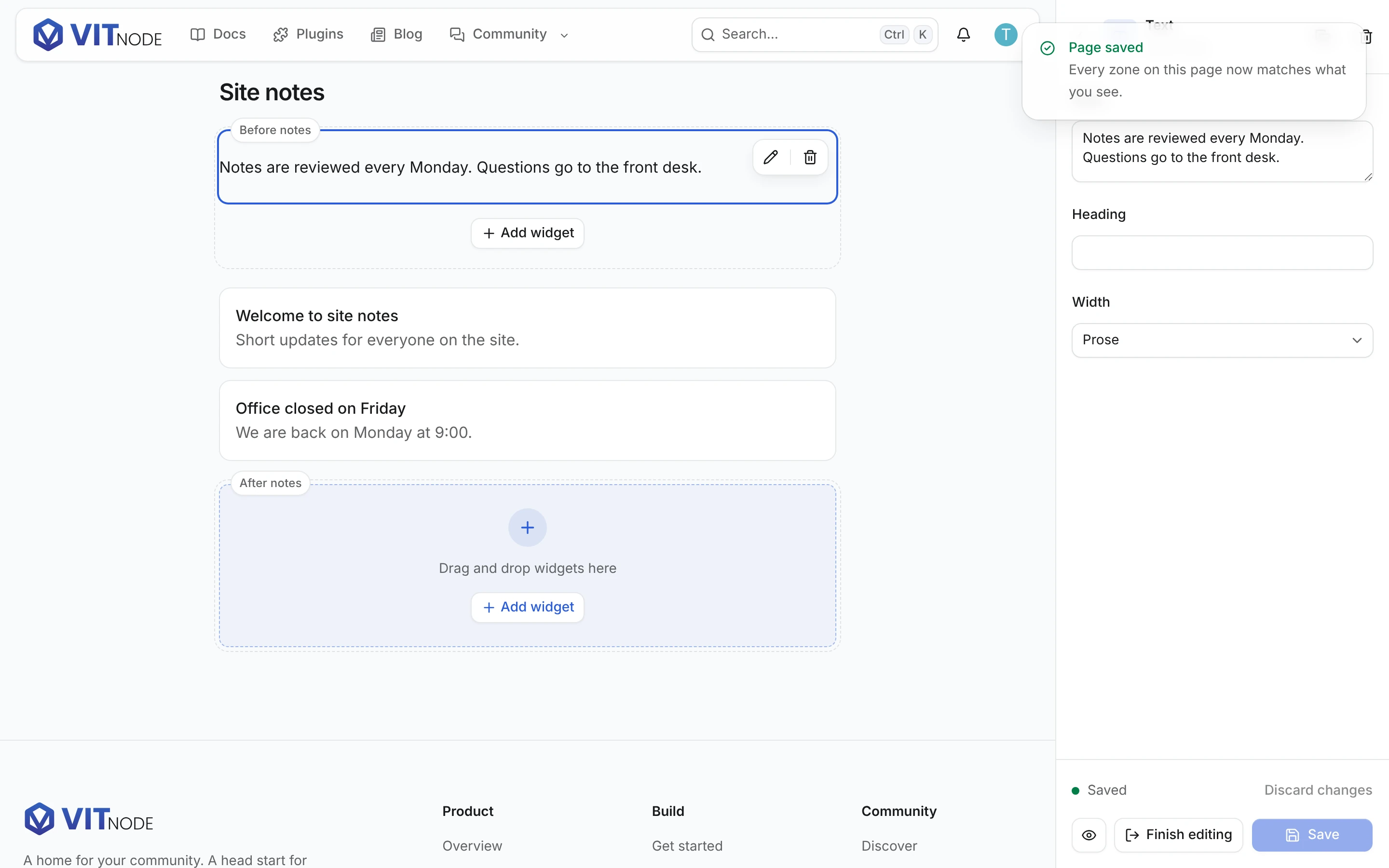
Declare a page's zones once, and the people who run the site rearrange them on the page itself - Edit widgets from the user menu, drag, Save, done. No admin screen, no zone-to-column mapping, no hand-written save route.

A settings page is edited on the settings page. A forum index is edited on the forum index. Nobody opens an admin screen to arrange a page they cannot see.

the real page
   ↓  Edit widgets        ← in the user menu, only if you hold the page's permission
the same page, editable
   ↓  Save
   ↓  Finish editing
the real page again

That is the whole feature. What you write to get it is one page declaration, one line of registration, and <EditablePage> around the zones you already had. The button is not yours to draw - it lives in the user menu in the site header, on every page, and appears there by itself the moment an editable page somebody may edit is on screen.

The whole thing, in three files

1. Declare the page

plugins/example/src/content/settings-page.ts
import { defineEditablePage } from '@vitnode/core/content/editor'

import { PAGE_BLOCKS_ALLOWED, PAGE_SIDEBAR_BLOCKS_ALLOWED } from './page-blocks'

export const settingsPage = defineEditablePage({
  id: 'example:settings',

  permission: { module: 'widgets', permission: 'can_edit' },

  zones: {
    'before-profile': {
      allowed: PAGE_BLOCKS_ALLOWED,
      max: 20,
      default: [
        {
          id: '01JEXAMPLEZONESBEFORE00001',
          type: 'example:callout',
          data: {/* … */},
        },
      ],
    },
    'after-profile': { allowed: PAGE_BLOCKS_ALLOWED, max: 20 },
    sidebar: { allowed: PAGE_SIDEBAR_BLOCKS_ALLOWED, max: 20 },
    'before-footer': { allowed: PAGE_BLOCKS_ALLOWED, max: 20 },
  },
})
idrequiredThe page's stable identity, plugin:page. The stored layout is keyed by it, so it is written once by hand and never generated.
permissionrequiredThe moderator permission somebody needs before the editor will offer to open. plugin defaults to whoever registered the page.
zonesrequiredOne entry per place on the page blocks may go. At least one.

And per zone:

allowedThe block allowlist, or "*". Declared here, so the page never repeats it.
max / minHow many blocks the zone accepts. An area counts nothing itself; the blocks inside it each count one. Leaving max out is not "unlimited" - see below.
defaultThe layout the zone ships with, as real stored nodes.

Three limits, and they count different things

Leave max out and the zone still has one: 200, the CONTENT_BLOCKS_DEFAULT_MAX a blocks() field already defaults to, because a zone and a field are stored and validated by the same code. Omitted means "the usual ceiling", never "as many as you like".

LimitValueCounts
A zone's max / min200 when max is omitted, 0 when min isBlock instances. A block inside an area counts one; the area holding it counts nothing, so an empty area counts as nothing at all.
CONTENT_BLOCKS_ABSOLUTE_MAX1000Nodes in the zone's root list - blocks and areas alike, children not included. It is the ceiling the stored column can be read back through, so a zone's own max may lower it and nothing may raise it.
AREA_CHILDREN_DEFAULT_MAX50One area's children. A third limit, checked per area, unrelated to the two above.

All three are exported from @vitnode/core/widgets, and a zone that declares a min above its effective max is refused where it is declared rather than the first time somebody saves.

Zone ids are page-local: "sidebar", not "settings:sidebar". The page id already namespaces them - it is what the stored layout is keyed by, and the zone ids are the keys inside it.

The defaults are content, not a placeholder

A zone nobody has customised renders its default, and the read that serves it says so with updatedAt: null. That is the layout you shipped - it is what a visitor sees before anybody has touched the page, and what a future reset will restore to. So it lives in code rather than being seeded into the database, and the first Save is entitled to write over it.

The definition module is a plain value with no third-party import anywhere in its graph, which is what lets the API and a public page import the same file. Ask for a zone it does not declare - on the page, in a save, anywhere - and it throws with the zone ids it does declare.

2. Register it

plugins/example/src/config.api.ts
buildApiPlugin({
  pluginId: CONFIG_PLUGIN.pluginId,
  editablePages: [settingsPage],
  permissionStaff: {
    moderator: { widgets: ['can_edit'] },
  },
  modules: [adminModule /* … */],
})

Two lines, and both are needed for different reasons. editablePages is what makes the page id resolvable on the server: without it, a read is a 404 and a save is a 400. permissionStaff.moderator is what puts Widgets → can edit in front of somebody granting it - a permission nobody can grant is a permission nobody holds.

Registering one page id twice, or two plugins claiming the same id, is a startup error rather than a race about which loaded last. So is declaring a page whose permission is missing from that plugin's permissionStaff.moderator catalogue: the server would boot, the page would read fine, and nobody outside a root role could ever edit it - which is a thing you want to hear at boot rather than from somebody who cannot find the button.

3. Render it

plugins/example/src/pages/zones-page.tsx
<EditablePage
  adapter={adapter}
  canEdit={canEdit}
  layout={layout}
  openEditing={search.edit === true}
  page={settingsPage}
>
  <ContentZone id="before-profile" registry={blocksRegistry} />
  <ProfileForm />
  <ContentZone
    as="aside"
    className="w-full lg:w-64"
    id="sidebar"
    registry={blocksRegistry}
  />
</EditablePage>

<ContentZone id="sidebar" />. That is the entire zone. No blocks, because the provider holds the layout. No allowedBlocks, because the provider holds the allowlist. On a page that declared its zones there is nothing left to pass.

What a call site may still say

You can pass those props anyway, and they still do something - just not anything. The page declaration is what the server checks a save against, so a zone on that page can be narrowed at the call site and never widened.

At the call site
blocksOverrides the source. For a zone whose content genuinely comes from somewhere else, the array you pass is what renders.
allowedBlocksOnly narrows. It is intersected with the page's allowlist, so "*" here cannot open a zone the page restricted, and asking for blocks the page does not allow is a developer error rather than a quietly wider zone.
min / maxOnly tighten. The higher min and the lower max win. Ask for a combination no list of blocks could satisfy - a min above the max - and it throws where you wrote it.

The page stays the ceiling and the floor. That is what makes "the zone as declared" the one thing both the editor and the save route have to agree on, and it is why an intersection is refused rather than silently emptied: a zone allowing nothing at all is a page nobody could edit.

A standalone <ContentZone> - one no editable page declares - is unaffected. There is nothing to intersect with, so its own allowedBlocks, min and max are simply its own.

Prop
pagerequiredThe definition. It is what resolves each zone's blocks and allowlist.
layoutoptionalWhat the loader read. null renders every zone's shipped default.
canEditoptionaltrue mounts the editor runtime and offers Edit widgets in the user menu. false does neither.
openEditingoptionalOpen in edit mode on arrival - what ?edit=true asks for. Ignored unless canEdit.
adapteroptionalWhere Save goes. createContentEditorAdapter builds one.
onExitoptionalCalled by Finish editing, after the unsaved-changes prompt. Edit mode ends either way.

Edit mode itself is not a prop. The page that is editable and the action that opens it are in two different parts of the document - one in <main>, the other in the header - so neither may own the state between them. <EditablePage> publishes what it is and whether this visitor may edit it; the site shell holds "is somebody editing", answers the user menu with it, and reserves the sidebar's room from the whole page while it is true. Walk away from the page and the offer leaves with it, so the entry is never there for a page that has no zones.

EditablePage also adopts the canonical zones a save comes back with, so the editor rebases onto what the server actually stored. View mode shows the stored result the moment you press Finish editing, with no reload and no second request. The metadata around those zones - updatedAt and friends - belongs to the page that owns the layout, not to the editor: hold the payload the save answered with in your own state, and a "Last rearranged 2 minutes ago" line moves with it instead of sitting on the timestamp the loader happened to read. Hand EditablePage a layout belonging to a different page id and it throws, because rendering one page's blocks under another page's zones is how a save writes them onto the wrong page.

Loading it

plugins/example/src/pages/zones-page.tsx
const [stored, staff] = await Promise.all([
  fetcher({
    plugin: '@vitnode/core',
    method: 'get',
    module: 'pages',
    path: '/layout',
    args: { query: { pageId: settingsPage.id } },
  }),
  fetcher({
    plugin: '@vitnode/core',
    method: 'get',
    module: 'users',
    path: '/permissions',
  }),
])

if (!stored.ok) {
  throw new Error(`Reading this page's layout answered ${stored.status}…`)
}

Two public reads, one round trip. The first is the layout; the second is who is looking.

The if is the important line. "Nothing is stored" and "I could not read what is stored" are two different answers and must never look alike: the first is a 200 full of shipped defaults, the second is a throw. Render something plausible in place of a failed read and the next Save writes it over whatever the page really held.

Saving it

const adapter = useMemo(
  () =>
    createContentEditorAdapter({
      page: settingsPage,
      save: async (payload) => {
        const response = await fetcher({
          plugin: '@vitnode/core',
          method: 'put',
          module: 'pages',
          path: '/layout',
          args: { body: payload },
        })

        if (!response.ok) throw new Error(`Saving answered ${response.status}.`)

        return zodLayout.parse(await response.json())
      },
    }),
  [],
)

The adapter turns the editor's snapshot into a payload carrying only the zones that changed, refuses up front to send a zone the page does not declare, and hands the server's canonical answer back so the editor rebases onto what was stored rather than onto what it sent.

interface EditablePageSavePayload {
  pageId: string
  zones: Record<string, ContentNode[]> // what you want stored
  expectedZones: Record<string, ContentNode[]> // what you were editing
}

expectedZones is the second half of every save: for each zone being written, the value the editor started from. The server compares it with what is actually stored before touching anything, which is what turns "last save wins" into "the save that knew what it was replacing wins". The adapter fills it in from the editor's own baseline - you do not assemble it.

Two files, and neither of them the editor

createContentEditorAdapter produces a VisualEditorAdapter, but it needs nothing from the editor to do it. So it ships beside the page definition, its whole graph is two modules with no third-party package in it, and a plain import keeps the example plugin's boundary test green: nothing under core's src/editor/ is in the page's eager graph. The @vitnode/core/editor/adapter barrel, by contrast, is thirty-three modules and Zod.

The two routes

They are core's, not your plugin's, and they are addressed by page id.

GET  /api/vitnode/core/pages/layout?pageId=example:settings     public
PUT  /api/vitnode/core/pages/layout                             that page's permission
interface EditablePageLayoutPayload {
  pageId: string
  updatedAt: string | null // null: nothing stored, these are the defaults
  zones: Record<string, ContentNode[]>
}

GET is public, because a visitor renders the page from it. It answers with the effective layout - the shipped defaults with whatever has been customised laid over them - so the page renders what it is handed and resolves nothing itself. The defaults it sends have been through the same block schemas a saved zone goes through, so a zone still on its default arrives in the same shape as one somebody has edited, fields the block fills in and all. Hand EditablePage the layout from this route and it never has to guess: the default you declared is a fallback for a zone the server did not send, and it has not been through those schemas. A page id nobody registered is a 404; a registered page nobody has rearranged is a 200 holding the declared defaults and updatedAt: null.

PUT takes { pageId, zones, expectedZones } with only the zones that changed, and answers with the canonical stored value of those zones only - the same EditablePageLayoutPayload, updatedAt and all, which is what the page adopts so its own layout metadata stays current. The mapping from a zone id to somewhere to store it comes from the registered page, never from the body, so there is no shape of request that reaches a zone the page did not declare. A body that writes a zone without a baseline for it is a 400: without one the server cannot tell an edit from an overwrite.

After validation the write is one read, one comparison, one merge and one upsert, whatever number of zones the save named. The block validator is the engine's own; the event - core.page-layout.updated, carrying the page id and the zones that changed - is emitted after the commit rather than inside it; and a save that changed nothing stores nothing, bumps no updatedAt and emits nothing, while still answering canonically.

Two moderators, one page

The comparison is per zone, inside the same transaction that writes, which is what lets an ordinary afternoon work out:

Two people, different zonesBoth saves land. One writes the sidebar, the other the footer, and each leaves the other's zone exactly as it found it. Zones merge because a save only ever writes what it names.
Two people, the same zoneThe second one gets a 409 and nothing is written. The zone moved after their editor read it, so storing their copy would delete a change they never saw.

A 409 is not a lost afternoon: the refusal says which zones moved, nothing that was arranged is thrown away, and reloading the page picks up what is really there to redo the change on top of it. Nothing polls and nothing locks - the baseline travels with the save, so the only thing that can ever be overwritten is a zone whose stored value is still the one being edited.

"Can I edit this?"

The page asks the existing public route:

GET /api/vitnode/core/users/permissions   →   { root, permissions[] }

root is a role that holds everything and lists nothing, so it counts as yes on its own. Otherwise the page looks for its own { plugin, module, permission } in the list.

Why a moderator permission and not an admin one

An admin-type check reads c.get("admin"), and only globalAdminMiddleware populates it. On a public page that middleware never ran, so checkStaffPermission(c, { type: "admin", … }) does not merely answer no - it answers no structurally, for everybody, including the person who genuinely administers the site. A moderator permission reads c.get("user"), which a public request does have. That is why permission on a page definition is a permissionStaff.moderator entry, and why PUT /pages/layout asserts it as one.

?edit=true may request edit mode - it is what a link hands you, and what openEditing passes on - and it never authorizes it. The page only opens in edit mode when the permission agrees, the Edit widgets entry is absent from the user menu otherwise, and the save asserts the permission again server-side whatever the URL said.

Where a layout is stored

In core, in one ordinary table:

core_page_layouts
  pageId     varchar    primary key
  zones      jsonb      not null default '{}'
  createdAt  timestamp
  updatedAt  timestamp

One row per page, holding overrides only. zones is a Record<zoneId, ContentNode[]> carrying just the zones somebody has actually rearranged. What the page renders is the two halves put together:

effective[zoneId] = Object.hasOwn(stored.zones, zoneId)
  ? stored.zones[zoneId]
  : zone.default

Defaults live in code; the database stores the custom ones. A page nobody has touched has no row at all - which is exactly what updatedAt: null means. Save a zone back to precisely what it ships with and its key is dropped again; empty the object and the row goes with it. A reset is therefore a delete rather than a re-seed, and the shipped layout is written down in exactly one place.

A stored zone the page no longer declares is ignored for rendering but not deleted. Only declared zones are read, so nothing renders it, and no ordinary save touches it: take a zone off a page for one release, put it back in the next, and what was stored for it is still there.

None of this is a Content Engine content type. No publication, no search indexing, no generated CRUD, no AdminCP screens. Layout persistence is internal infrastructure - you do not browse it, any more than you browse the sessions table.

There is no AdminCP → Layouts screen in V1, on purpose

Central layout administration - listing the pages somebody has customised, resetting one to its shipped defaults, exporting a layout as JSON, copying one page's layout onto another - is deliberately left to a possible V2. Each of them is a query on one table keyed by pageId: list is select "pageId", reset is a delete, export is a single row. The shape makes them easy later; none of them is built now, and none of them is needed to arrange a page.

Every submitted zone is re-validated against that zone's own allowed, min and max, read off the registered page rather than off the request, before anything is stored.

When a save is refused

Every refusal is named, and none of them falls back to a default or silently drops content.

A page id nobody registered400, saying there is nothing this save could be writing.
A zone the page does not declare400, listing the zones it does.
No zones at all400. A save names what it changed, and this one named none.
A zone written without a baseline400. Every zone in zones needs its counterpart in expectedZones.
A zone somebody else changed first409, naming the zones that moved. Nothing is written - not even the zones that would have been fine.
A block the zone does not allow400, from the zone's own allowed - nested inside an area too.
Too many or too few blocks400, from the zone's own max and min, counting an area's children.
The permission is not held403.
The stored layout cannot be read500. A read that fails is never answered with defaults: the next Save would write them over whatever is really there.

The client has its own guard before any of this: a zone holding a value the editor cannot read keeps Save disabled until somebody removes it deliberately. See unreadable content.

What this costs a public page

The page definition is a module a public page imports, so it was measured rather than asserted. Every number is the import graph of a real file in this repository.

EntrySource filesThird-party
@vitnode/core/content/editor12none
createContentEditorAdapter alone2none
EditablePage (blocks/page.tsx), eagerly15react
ContentZone (blocks/zone.tsx)19react
The example's page definition, end to end15none
@vitnode/core/content/define34zod
@vitnode/core/content (the barrel)54zod
@vitnode/core/editor/adapter (the barrel)33zod

A module whose whole graph has no external specifier cannot add a package to anything that imports it. That is the entire argument for keeping the declaration off the content type: a page gets its zone ids, allowlists and defaults without the schema builder that turns field descriptors into Zod.

The same rule applies to blocks. plugins/example/src/blocks/callout.tsx used to import field from @vitnode/core/content; switching two import paths to @vitnode/core/content/fields took the playground's eager graph from 132 modules to 107, and the Content Engine modules it reaches from 41 to 16. The rendered page was byte-for-byte identical.

import { field } from '@vitnode/core/content'
import { field } from '@vitnode/core/content/fields'

Two boundary tests keep it that way. Core's own names every module @vitnode/core/content/editor reaches and asserts it reaches no third-party one; the example plugin's walks the real page and asserts nothing under core's src/editor/ - and no drag-and-drop, command palette or database package - is in its eager graph, while following its dynamic imports does reach @dnd-kit/core, so the guarantee is not vacuous.

<PageWidgets>: the loading, the saving and the permission, once

Everything above is the contract. You rarely write it, because core owns the two routes a layout is read and written through - so core also owns talking to them.

Any page that declares its zones
import { loadPageWidgets, PageWidgets, PageWidgetsZone } from '@vitnode/core/tanstack/widgets'

export const route = defineRoute({
  load: async ({ context }) => await loadPageWidgets(context.queryClient, settingsPage),
})

const Page = () => (
  <PageWidgets page={settingsPage}>
    <PageWidgetsZone id="header" />
    <ProfileForm />
    <PageWidgetsZone id="footer" />
  </PageWidgets>
)

That is the whole integration. No fetcher call, no createContentEditorAdapter, no permission comparison and no registry plumbing: PageWidgets reads the layout and the viewer's moderator permissions, builds the adapter, folds each save's canonical answer back into the cache, and hands every PageWidgetsZone the right blocks and the application's block registry. It takes the page definition and nothing else - which is why the definition names its permission's plugin rather than leaning on the server-side default, so the browser can answer "may I edit this?" without knowing who registered the page.

loadPageWidgets is the one line a route writes. A zone never fetches and a loader is where this framework reads, so the warm belongs there - and neither query rejects, so a widget area that cannot be read costs the page it decorates nothing.

When to reach past it

Write the loader and adapter by hand when the page is not read from core's own layout route - zones stored on your own record, a different API, a preview of something unsaved. The sections above are that contract, and <EditablePage> is still what you wrap them in.

Core ships one: the account settings page

/settings - the account settings screen every member of every VitNode install visits - declares two zones of its own, and is the reference for the three lines above:

ZoneWhere it sits
headerUnder the "Settings" heading, above the two panels.
footerBelow the panels, above the site footer.

Both take every installed block, so a plugin's own block can go there too, and both cap at ten. They ship empty: an install nobody has touched renders no extra markup at all, and the zones are invisible until somebody puts something in them.

Settings                          ← the page heading
  header zone                     ← "Two-factor sign-in becomes required on 1 October."
  nav | panel                     ← application UI, not editable
  footer zone                     ← "Need a hand? Contact support"

Rearranging them is gated on the moderator permission @vitnode/coreWidgetscan_edit, grantable from Staff → Moderators in the AdminCP. Hold it (or a root role) and Edit widgets appears in the user menu while you are on /settings, exactly as it does on a page your own plugin declared.

A zone renders from the block registry your application generated, so every plugin you configured is offered. In an install that has never rendered a block anywhere else, core's own core:text, core:cta and core:hero are offered instead of nothing.

A read failure is not fatal. If the layout route cannot be reached, the page still renders in full - just without its widget areas, and with Edit widgets withheld, because an editor that opened on empty zones would offer to save over whatever is really stored.

The playground

/example/zones is the reference integration and the manual test page: four zones around a locked profile form, blocks from two plugins, a block stored with a variant, an area holding two blocks, and a second area left empty. The page itself draws no button at all: Edit widgets appears in the user menu for somebody holding example.widgets/can_edit, and nowhere else.

Visit it signed out and it is an ordinary page - shipped defaults, no entry in any menu, no editor chunk. Two checklists on the page say exactly what to look for in DevTools, including the two that matter here: that a save carries one zone rather than the whole page, and that nothing under src/editor/ is requested until somebody clicks Edit widgets.