Updates & Security
Update alerts in the AdminCP
The update count next to System → Plugins, the security alert in the AdminCP header and the System updates dashboard widget - what each number means, how fresh it is and who sees it.
You do not have to open System → Plugins to notice an update. VitNode shows the results of the update checks in three more places across the AdminCP: a count in the navigation, a security alert in the header and a dashboard widget. All three read the results already stored by the last check. Opening them never contacts a publisher and never starts a check.
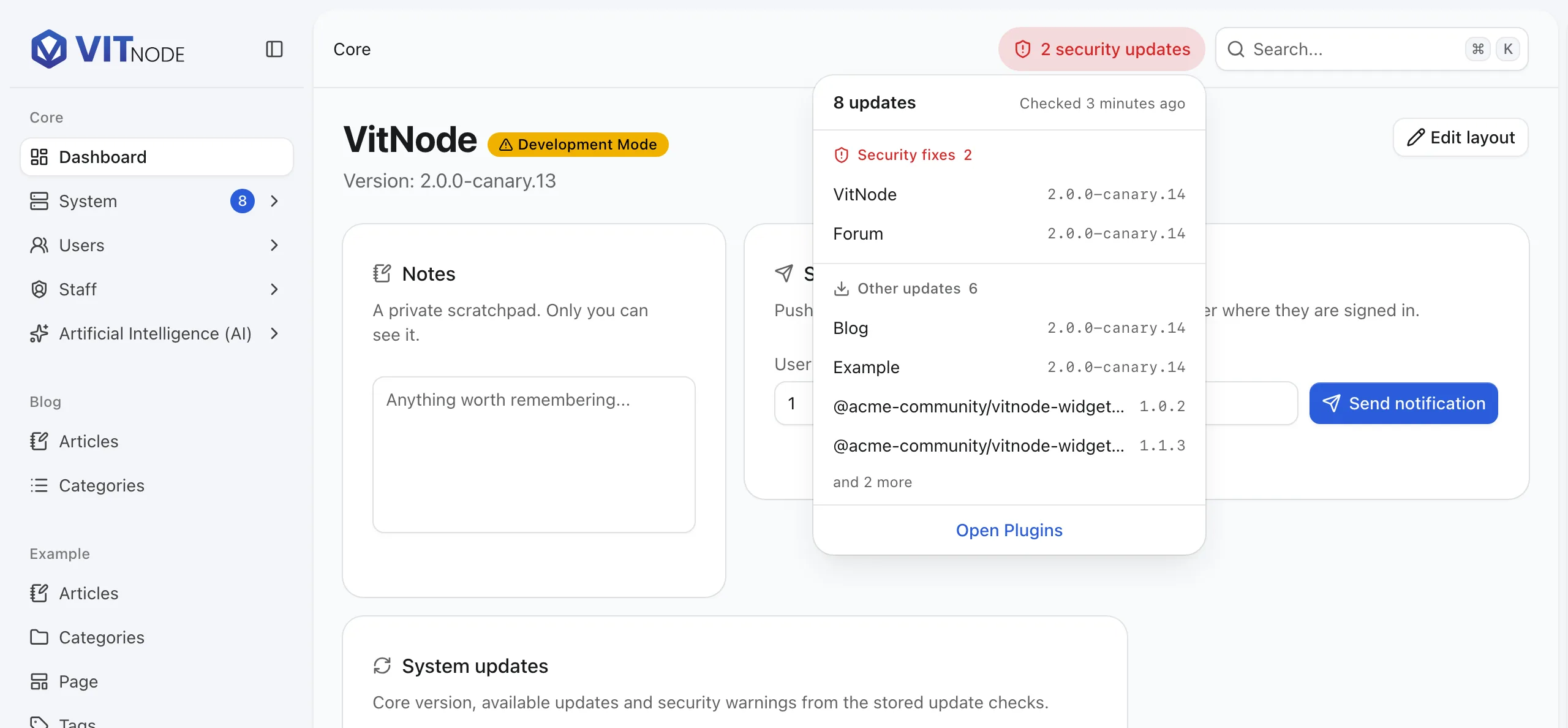
The versions and the security update in the screenshot are illustrative demo data.
Who sees the alerts
Staff with Plugins → View installed plugins and their versions (plugins.can_view) see all three. Everyone else sees none of them, and their browser never asks for the data. Running a check still needs plugins.can_check_updates and stays a button on the Plugins page.
The count next to System → Plugins
A number next to System → Plugins tells you how many packages have a newer release on their channel. Core counts as one package and every plugin counts once, even when its API and web app are registered separately. It is the same number of Update available rows the Plugins page shows.
- The count only appears when it is above zero. While the data loads, or if it cannot be loaded, the menu looks exactly as before.
- Security updates do not add to the count. They have their own alert in the header.
- When the System group is folded, the count moves to the System item. In the collapsed icon sidebar a small dot marks the icon, and the count sits next to Plugins in the menu that opens.
The security alert in the header
When a security update affects something you run, a red pill appears in the AdminCP header, next to search, on every page:
2 security updates
On a phone it shrinks to the shield and the number. Each component counts once, however many security updates match it. The pill has no close button on purpose: it disappears on its own once no evaluated finding applies to what you run - after you upgrade and redeploy, or after a check finds the publisher changed the affected range. It sits in the header, so it never pushes the page down.
Click it to see what is waiting, in two groups:
- Security fixes - every package a security update affects, with the version that fixes it.
- Other updates - packages with a newer release and no security finding.
Each group lists up to four packages and then says how many more there are. A row, or Open Plugins at the bottom, takes you to System → Plugins, where each affected row names the security update and its fix. The list itself is only fetched when you open the pill, so the header stays as light as before.
A publisher that cannot be reached never clears a warning. VitNode keeps the last known findings and adds Based on the last known results under the list, so an outage at the publisher never looks like a fix.
The System updates widget
The System updates widget is on the dashboard by default for staff who can view plugins. You can remove it or add it back from Edit layout, like any other widget. It reads like a small ledger, one row per fact:
| Row | Meaning |
|---|---|
| Status | The one-line verdict - see below. |
| VitNode | The core version you run and, after the arrow, the newer core release on your channel when one is known. |
| Plugin updates | Plugins with a newer release on their channel. Core is not included here. |
| Security | How many packages, core included, a security update affects - or None. |
| Last checked | How fresh the numbers are. |
Before anything was checked, the numbers show a dash and Unknown instead of 0.
Status
| Status | What it means |
|---|---|
| Security fix needed | At least one package you run is affected by a security update. |
| Updates available | A newer release exists for core or a plugin, and nothing is affected by a security update. |
| Up to date | Every installed package was checked and none has an update or a security warning. |
| 2 packages not confirmed | Nothing is outdated, but some packages could not be confirmed, for example they declare no update source. The Plugins page says why. |
| Checking... | A check is running. The widget, the count and the pill refresh every 15 seconds until it finishes. |
| Not checked yet | No check has run. The daily check runs overnight, or press Check for updates on the Plugins page. |
| No update sources | No installed package declares where its updates are published. |
| Checks turned off | The API config sets updates.enabled to false. |
Last checked
| Value | What it means |
|---|---|
| 3 hours ago | The oldest stored result is that recent, so every package was checked at least that recently. |
| Failed 5 minutes ago | The latest check could not read a source. The numbers include the last known results for it. |
| Out of date | You redeployed, upgraded core or changed channel. Results are recomputed from the stored manifests until the next check. |
| Never | Nothing has been checked yet. |
The time is the oldest successful result, not the newest. One package checked a minute ago does not prove the others were.
When update checks are turned off
With updates: { enabled: false } in the API config, nothing is checked. The navigation count and the security pill stay hidden, and the widget only says that checks are turned off. Nothing stored earlier is shown as current.
How fresh the alerts are
The alerts share one request per browser tab. It is refreshed when it is older than a minute and you come back to the tab, after Check for updates finishes, and every 15 seconds while a check is running. There is no other polling.
Check the result
Press Check for updates on System → Plugins. When it finishes, the count next to Plugins, the security pill and the widget update together without reloading the page.