Plugin page
Add a page to the site-notes VitNode plugin that loads notes from the plugin API with the typed fetcher, renders them server-side, and handles an empty list.
A plugin declares its pages in src/routes.ts, and the app serves them without route files of its own. In this lesson you add /site-notes/notes, whose loader fetches the notes from the endpoint you built and renders them on the server.
Before you begin
- The
notesmodule from API routes, withpnpm devrunning.
Create the page
Create src/pages/notes-page.tsx:
import type { PluginRoutePageProps } from "@vitnode/core/routing";

import { definePluginRoute } from "@vitnode/core/routing";
import { fetcher } from "@vitnode/core/tanstack/fetcher";
import { useTranslations } from "use-intl";

import { manifest } from "@/manifest.gen";

const loadNotes = async () => {
  const response = await fetcher({
    plugin: manifest.id,
    method: "get",
    module: "notes",
    path: "/",
  });
  if (!response.ok) throw new Error("Could not load notes.");

  return await response.json();
};

type NotesPageData = Awaited<ReturnType<typeof loadNotes>>;

export const route = definePluginRoute<NotesPageData>({
  load: loadNotes,
});

const NotesPage = ({ loaderData: notes }: PluginRoutePageProps<NotesPageData>) => {
  const t = useTranslations("site-notes.notes");

  return (
    <main className="container mx-auto flex max-w-2xl flex-col gap-6 p-4">
      <h1 className="text-2xl font-semibold tracking-tight text-balance">
        {t("title")}
      </h1>

      {notes.length === 0 ? (
        <p className="text-muted-foreground leading-relaxed">{t("empty")}</p>
      ) : (
        <ul className="flex flex-col gap-3">
          {notes.map(note => (
            <li className="bg-card rounded-lg border p-4" key={note.id}>
              <h2 className="font-medium text-balance">{note.title}</h2>
              <p className="text-muted-foreground leading-relaxed text-pretty">
                {note.body}
              </p>
            </li>
          ))}
        </ul>
      )}
    </main>
  );
};

export default NotesPage;
A page file has two exports, and VitNode reads each one by name:
| Export | What it is | Required |
|---|---|---|
export default | The component that renders the page. | Yes. Without it, the app stops with does not export a component as its default export. |
export const route | How the page behaves: load, head, breadcrumb, notFound, parseSearch. | No. A page with no data or title of its own skips it. |
They live in the same file so that lazy() in the next step loads the loader and the component in one chunk, and routes.ts stays a short list of paths. definePluginRoute only adds types. NotesPageData tells load what to return and the component what loaderData holds. Route module lists everything route accepts.
fetcherruns on the server during the first render and in the browser on client navigations, with the same call. It infersmodule,pathand the response type from your routes, so a typo is a compile error.loadruns before the page renders, and its result arrives asloaderData. The HTML already contains the notes.- A failed request throws, and the app shows its error page instead of an empty list. An empty array is a real answer, so the page says "No notes yet." for it.
Declare the route
Open src/routes.ts and add the page after the generated one:
export const routes = definePluginRoutes([
  page("/site-notes", {
    component: lazy(() => import("./pages/home-page")),
    messages: [`${manifest.id}.home`],
  }),

  page("/site-notes/notes", {
    component: lazy(() => import("./pages/notes-page")),
    messages: ["site-notes.notes"],
  }),
]);
lazy() keeps the page in its own chunk. messages names the translation namespace the page renders, so its strings load with the code.
Add the strings
Add a notes group under the plugin's root key in src/locales/en.json. This excerpt shows only the new keys; keep home:
{
  "site-notes": {
    "notes": {
      "title": "Site notes",
      "empty": "No notes yet."
    }
  }
}
Check the result
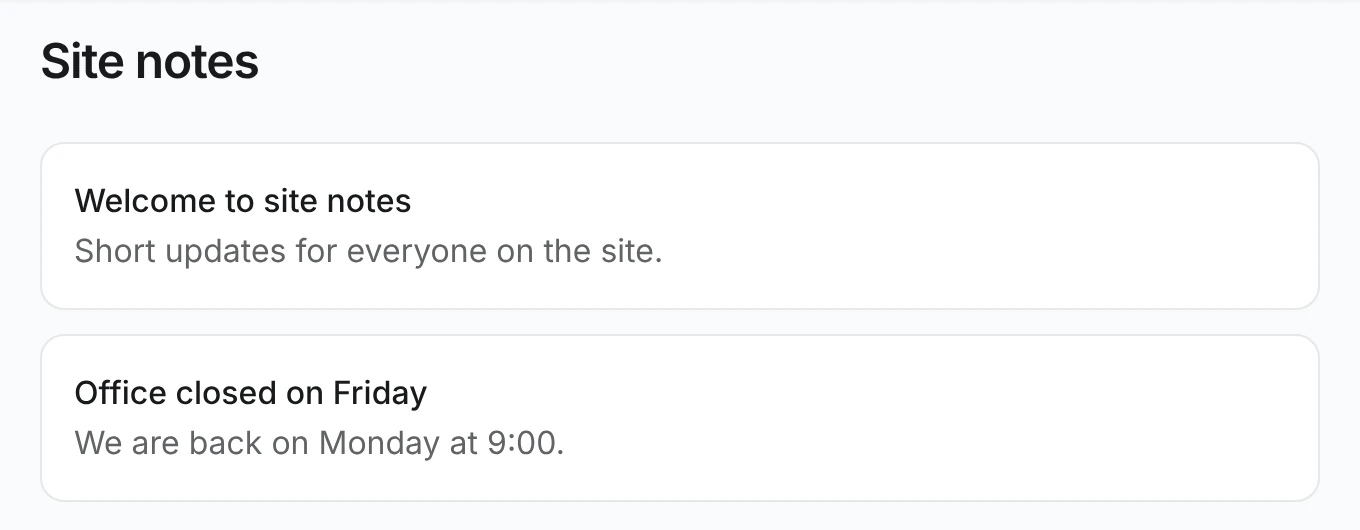
Open http://localhost:3000/site-notes/notes. Site notes lists Welcome to site notes and Office closed on Friday. View the page source. Both titles are in the HTML, because the loader ran on the server.
Lists that refetch on the client, search parameters and caching build on this page; see Fetching and Routing.