Moderation
Report reasons
Add, translate, reorder and delete the reasons members pick from when they report content in VitNode, from AdminCP → Moderation → Report reasons.
Report reasons are the choices a member sees first in the report dialog, like Spam or Abusive content. You manage them in the AdminCP, with a title and a description in every language your site serves, so the list fits your community instead of a fixed one.
A new installation starts with four reasons: Spam, Abusive content, Rule violation and Other. Other asks the member to explain. Sites upgraded from the fixed list get the same four on their next pnpm db:migrate, and existing reports keep their reason.
Before you begin
You need the Report reasons admin permissions, or a root role. Each permission covers one action: View report reasons, Create report reasons, Edit and reorder report reasons and Delete report reasons. Grant them in AdminCP → Staff → Administrators.
Open the list
Open AdminCP → Moderation → Report reasons. The list is in the order members see it, and the Details column shows which reasons make the member explain.
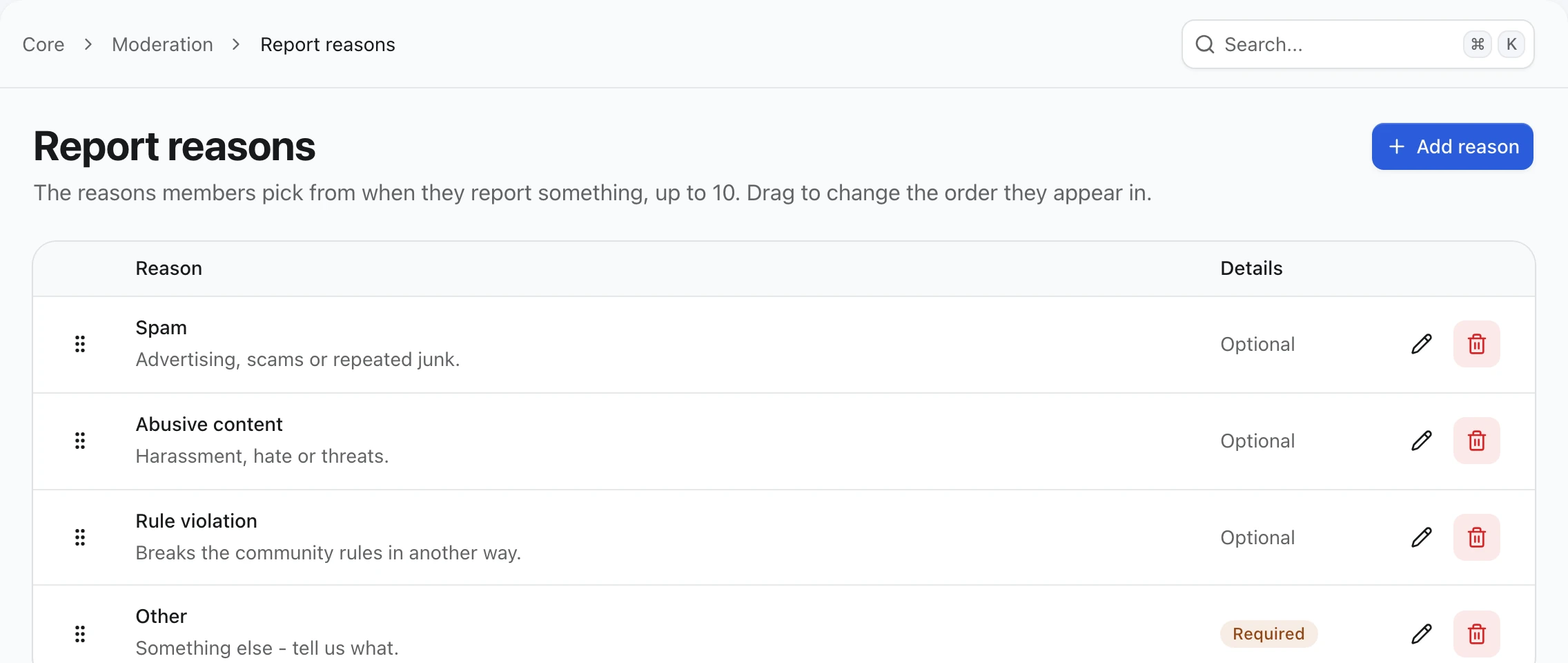
Add a reason
Choose Add reason. Write a short Title and a one-line Description, then pick another language from the menu next to each field to translate it. A language you leave empty falls back to the site's default language.
Turn on Require details when moderators cannot act on the reason without an explanation, as with Other. The member then has to write at least 10 characters before the report is sent.
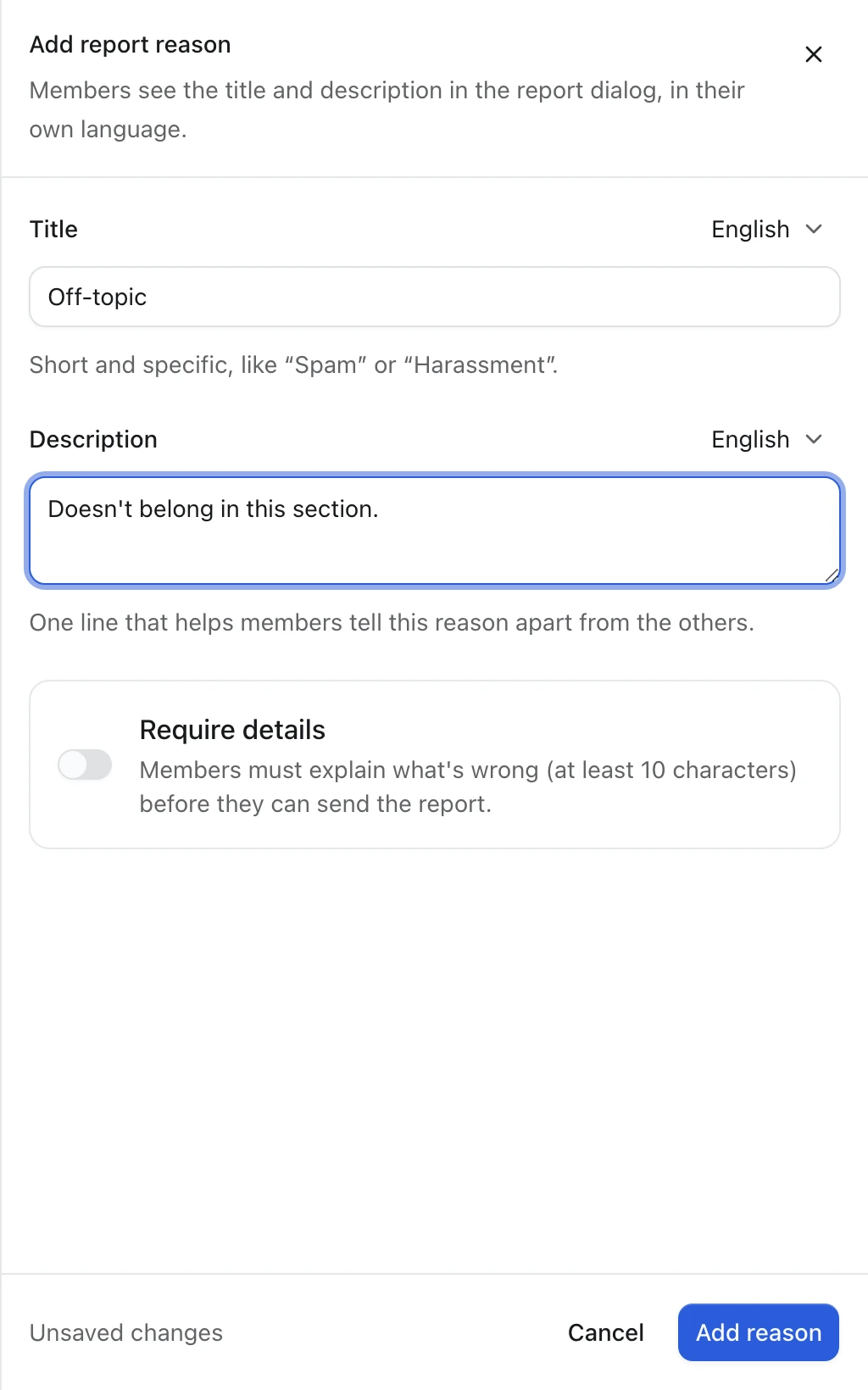
Choose Add reason. The reason goes to the end of the list, and members can pick it right away.
Put the most common reason first
Drag a row by its handle to move it. With a keyboard, focus the handle, press Space, move with the arrow keys and press Space again to drop. The order saves on drop.
Edit or delete a reason
Choose the pencil to edit a reason. Reports already filed with it show the new title, because a report stores which reason was picked, not its text.
Choose the trash can to delete a reason. Members can no longer pick it, and reports filed with it stay, labeled Removed reason in the Moderator CP.
Limits
- At most 10 reasons. Add reason is disabled at 10 and the API refuses an 11th with
409 limit_reached. - At least one reason. The last one cannot be deleted (
409 last_reason), so the dialog always has something to offer. - Titles are up to 100 characters, descriptions up to 255.
Check the result
Open a published article as a signed-in member and choose Report. The dialog lists your reasons in your order, in the member's language, and a reason with Require details asks What should moderators know? before Send report.
The routes and events behind this page are in the moderation reference.