Build Your First Plugin

Create a VitNode plugin step by step, add a TanStack Start route, register it, and open a working page.

This tutorial builds @acme/site-notes, a tiny plugin with a page at /site-notes. Start from a VitNode workspace with Turborepo enabled; it gives the plugin generator a shared home.

Generate @acme/site-notes

Run the generator from the workspace root and enter @acme/site-notes when it asks for a name:

Generate the plugin
bun create vitnode-app@canary --plugin
pnpm create vitnode-app@canary --plugin
npm create vitnode-app@canary -- --plugin

The result has routes.ts, pages/home-page.tsx, locales/en.json, and config.tsx. The CLI adds a workspace dependency but leaves activation to you, which makes installed plugins predictable.

Claim the page URL

The route tree belongs to the plugin and is all the host needs to discover a route. lazy names the page module without importing it, so the page gets a chunk of its own:

plugins/site-notes/src/routes.ts
import { definePluginRoutes, lazy, page } from '@vitnode/core/routing'

export const routes = definePluginRoutes([
  page('/site-notes', {
    component: lazy(() => import('./pages/home-page')),
  }),
])

Render a translated page

Edit the generated route module. It stays framework-neutral and is lazily loaded by the TanStack Start host:

plugins/site-notes/src/pages/home-page.tsx
import { useTranslations } from 'use-intl'

const HomePage = () => {
  const t = useTranslations('@acme/site-notes') 

  return (
    <div className="container mx-auto flex max-w-2xl flex-col gap-4 p-4">
      <h2 className="text-2xl font-semibold">{t('home.title')}</h2>
      <p className="text-muted-foreground">{t('home.desc')}</p>
    </div>
  )
}

export default HomePage
plugins/site-notes/src/locales/en.json
{
  "@acme/site-notes": {
    "home": {
      "title": "Site notes",
      "desc": "This page ships from a plugin. Neat, right?"
    }
  }
}

Enable it in the host

The package must be in the host's plugins array. This is the only composition step; routes and pages remain inside plugins/site-notes:

apps/web/src/vitnode.config.ts
import { siteNotesPlugin } from '@acme/site-notes/config'

export const vitNodeConfig = buildConfig({
  plugins: [
    siteNotesPlugin(), 
  ],
})

Run and inspect the result

Run the plugin
bun dev
pnpm dev
npm run dev

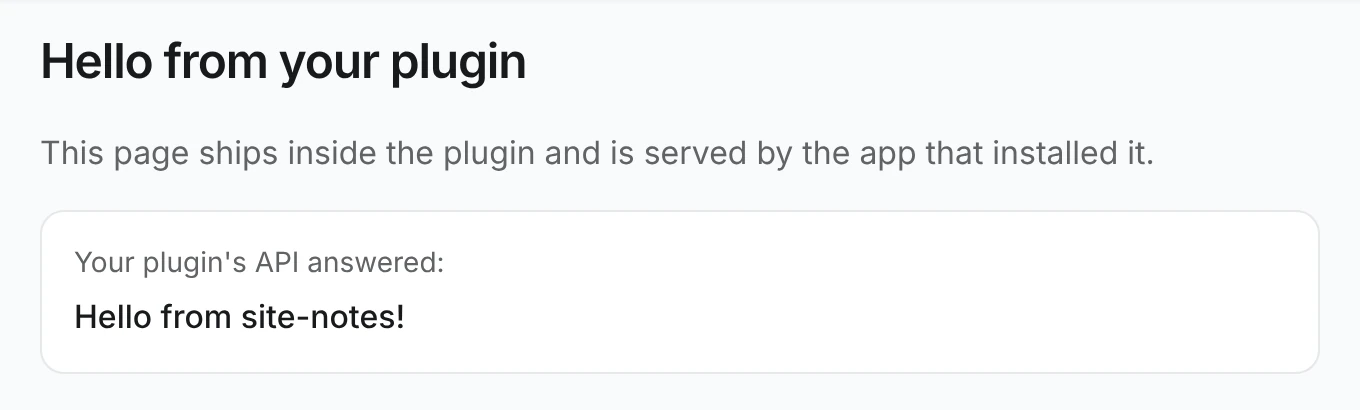
Visit http://localhost:3000/site-notes.

Grow the same plugin